Website chatbot
Create an AI chatbot for your website
Ask My Bot is a website chatbot builder that imports useful site content and indexes it alongside your PDFs, documents, FAQs, images, and notes. Add the same grounded assistant to your website as a chat widget or publish it as a hosted page without rebuilding the bot for each channel.
What a website chatbot can do
Answer from approved content
Ground replies in service pages, pricing, policies, menus, FAQs, contact details, and supporting documents instead of relying on generic model knowledge.
Meet visitors where they decide
Place the widget on product, service, booking, pricing, or support pages while keeping a shareable public bot page for direct links and QR codes.
Reveal content gaps
Use question analytics, unanswered topics, and visitor feedback to learn which pages need clearer or more complete information.
How to launch a website chatbot
Step 1
Import your site
Submit the homepage to discover high-value same-domain pages, or submit a specific subpage when only that page should be imported.
Step 2
Add supporting sources
Upload PDFs, images, spreadsheets, or notes for details that are missing or awkward to publish on the website.
Step 3
Test buyer questions
Ask about price, fit, availability, policies, next steps, and edge cases using the language real visitors use.
Step 4
Publish and improve
Approve widget domains, install the script, review analytics, and refresh the website source when the site changes.
A strong fit when
- Visitors repeatedly ask questions already answered across several pages.
- Your website needs a conversational path into services, products, or support information.
- You want one knowledge base for a public page and an embedded widget.
- You need lightweight lead capture after useful answers.
Prepare the content first when
- Important prices, policies, or contact steps are missing or outdated.
- The site contains private material that should use an access-controlled bot instead.
- Answers depend on changing inventory or availability that belongs in a Live API.
- You have not defined which external domains may load the widget.
Frequently asked questions
How do I train an AI chatbot on my website?
Create a bot, import a website URL, review the website source and its indexed content in Training, test realistic questions, and install the widget after the answers are ready.
Can the chatbot use PDFs and website pages together?
Yes. A bot can combine website imports with PDFs, documents, images, spreadsheets, pasted text, and Live API sources on supported plans.
Can I control which websites embed the chatbot?
Yes. Widget allowed-domain settings can restrict the public widget to approved hostnames.
What happens when my website changes?
Refresh the website source from Training Content so Ask My Bot can replace the previously imported pages with current content.
See how it works in the app
Illustrative app views with fictional businesses, contacts and sample data. Select an image to view it full size.
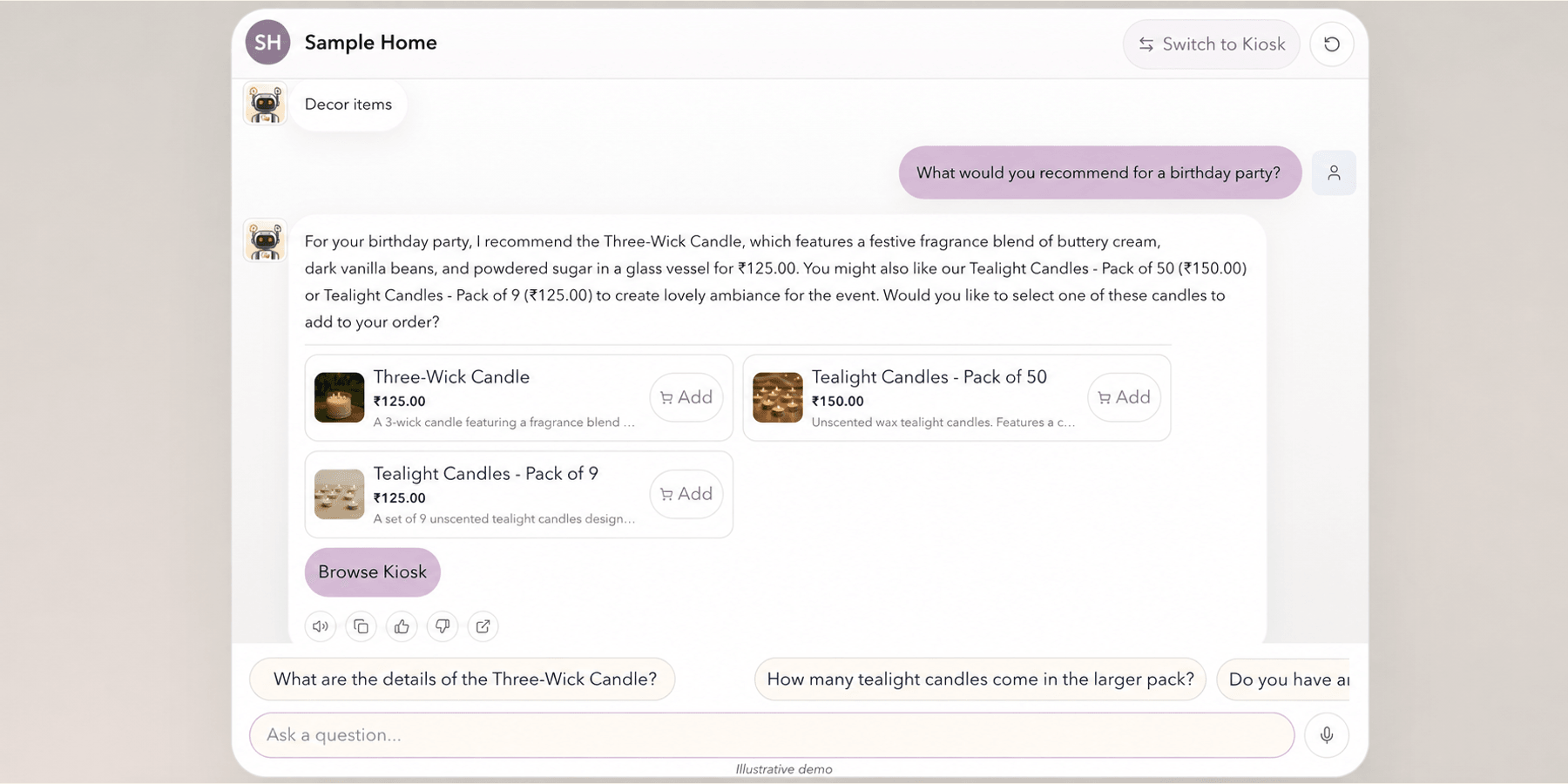
Answer visitors with product context
Visitors ask questions in Chat and receive answers from the bot’s available knowledge. Eligible bots can show catalog products and cart actions alongside the answer.
Explore this workflow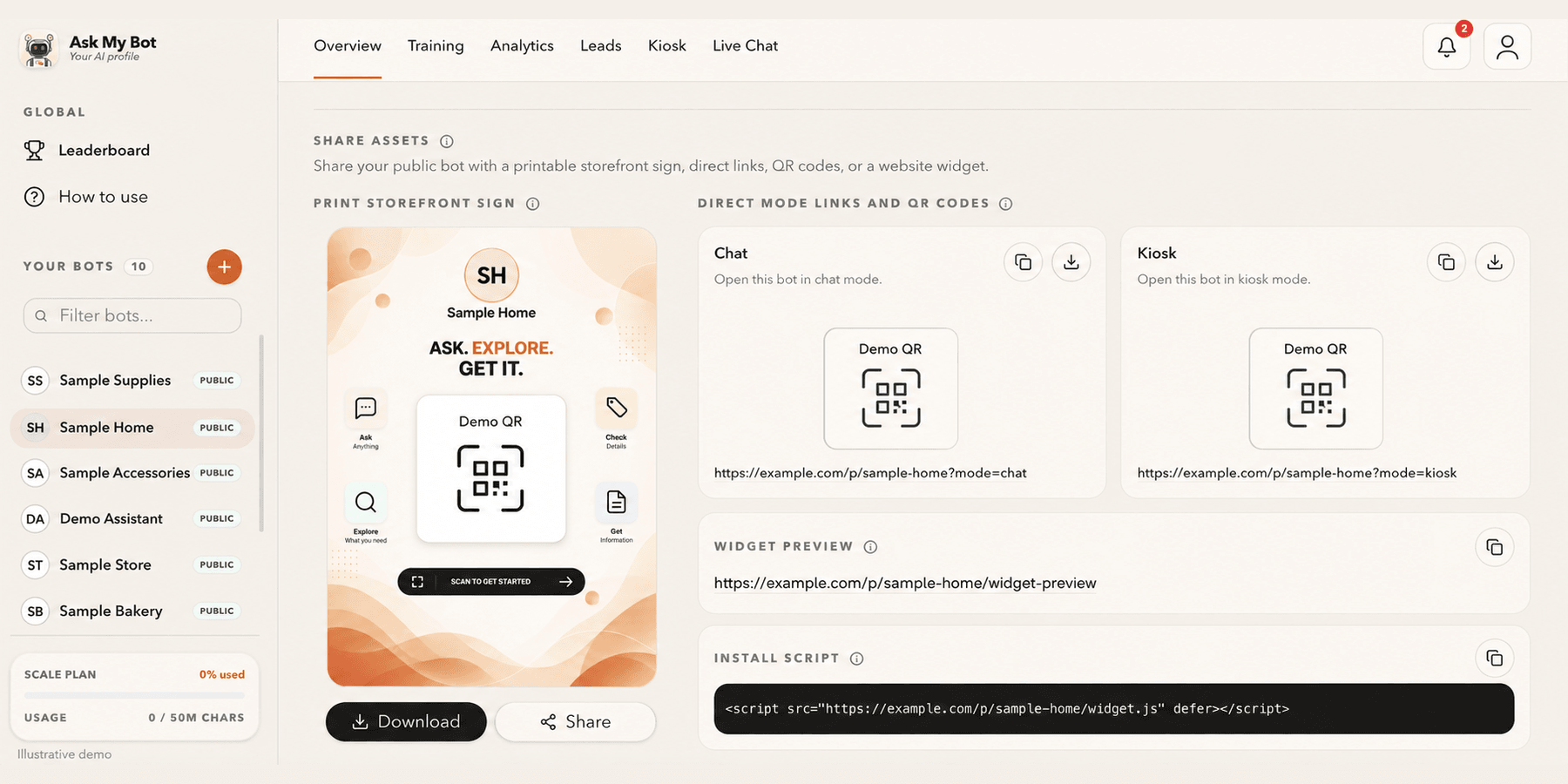
Share a link, QR code or website widget
Overview → Share assets provides one public link and QR code, a printable storefront sign and the website install script. The pictured bakery is fictional; copy working assets from your own bot.
Explore this workflowExplore the chatbot platform
Build around the knowledge and workflow you need
Customer support chatbot
Answer routine support questions and hand off when needed.
Business chatbot
Support visitors, leads, and teams with business knowledge.
Knowledge base chatbot
Turn FAQs and approved knowledge into direct answers.
PDF chatbot
Turn documents into grounded, searchable answers.
Website chatbot
Import site content and answer visitors on-page.
Private chatbot
Restrict internal knowledge to approved users.
Live API chatbot
Combine indexed knowledge with fresh endpoint data.
Lead-generation chatbot
Answer first, then capture qualified follow-up details.