Lead-generation chatbot
Answer visitor questions and turn intent into qualified follow-up
A useful lead-generation chatbot should earn the conversation before asking for contact details. Ask My Bot answers from your approved content, detects meaningful intent, and can collect the structured details your team needs to continue the conversation.
Move beyond a static contact form
Answer before asking
Resolve questions about services, pricing, fit, policies, menus, events, or next steps so the visitor receives value before seeing a follow-up request.
Collect useful context
Capture email or phone plus bot-specific details such as company, timeline, service, booking date, budget, order items, or other qualification fields.
Give the team a usable record
Review lead records with conversation context and qualification signals, or forward leads through webhooks on Business and Scale plans.
How conversational lead capture works
Step 1
Train helpful answers
Add the service, product, pricing, policy, and process information prospects need before they are ready to contact you.
Step 2
Define lead details
Configure required and optional custom fields that match the real handoff process instead of collecting generic data you will not use.
Step 3
Publish publicly
Share the bot page or install the website widget where visitors research, compare, book, request a quote, or ask for help.
Step 4
Review and route
Use Leads on Pro and higher, or webhooks on Business and Scale, to move qualified conversations into follow-up workflows.
A strong fit for
- Consultants and agencies qualifying service inquiries.
- Restaurants collecting catering, event, reservation, or large-order details.
- Creators handling collaboration, speaking, sponsorship, or booking requests.
- Small businesses turning product and service questions into relevant follow-up.
Avoid weak lead experiences
- Do not request every possible field before answering the visitor's question.
- Mark fields required only when the downstream workflow truly needs them.
- Keep pricing, availability, and service information current so qualification starts from accurate answers.
- Use Live API data when qualification depends on current schedules, inventory, or availability.
Frequently asked questions
How does Ask My Bot capture leads?
During relevant public conversations, the bot can request contact information and configured details. Captured records include conversation context and a reference ID for follow-up.
What information can the chatbot collect?
Generic capture accepts an email address or phone number. Bot owners can also define custom required or optional fields such as company, budget, service, date, table number, or order items.
Which plans include Leads?
Pro and higher plans include Leads. Business and Scale also support lead webhook forwarding.
Do private bots capture visitor leads?
No. Lead-capture prompts are disabled for private bots because their purpose is approved-user access rather than anonymous visitor conversion.
See how it works in the app
Illustrative app views with fictional businesses, contacts and sample data. Select an image to view it full size.
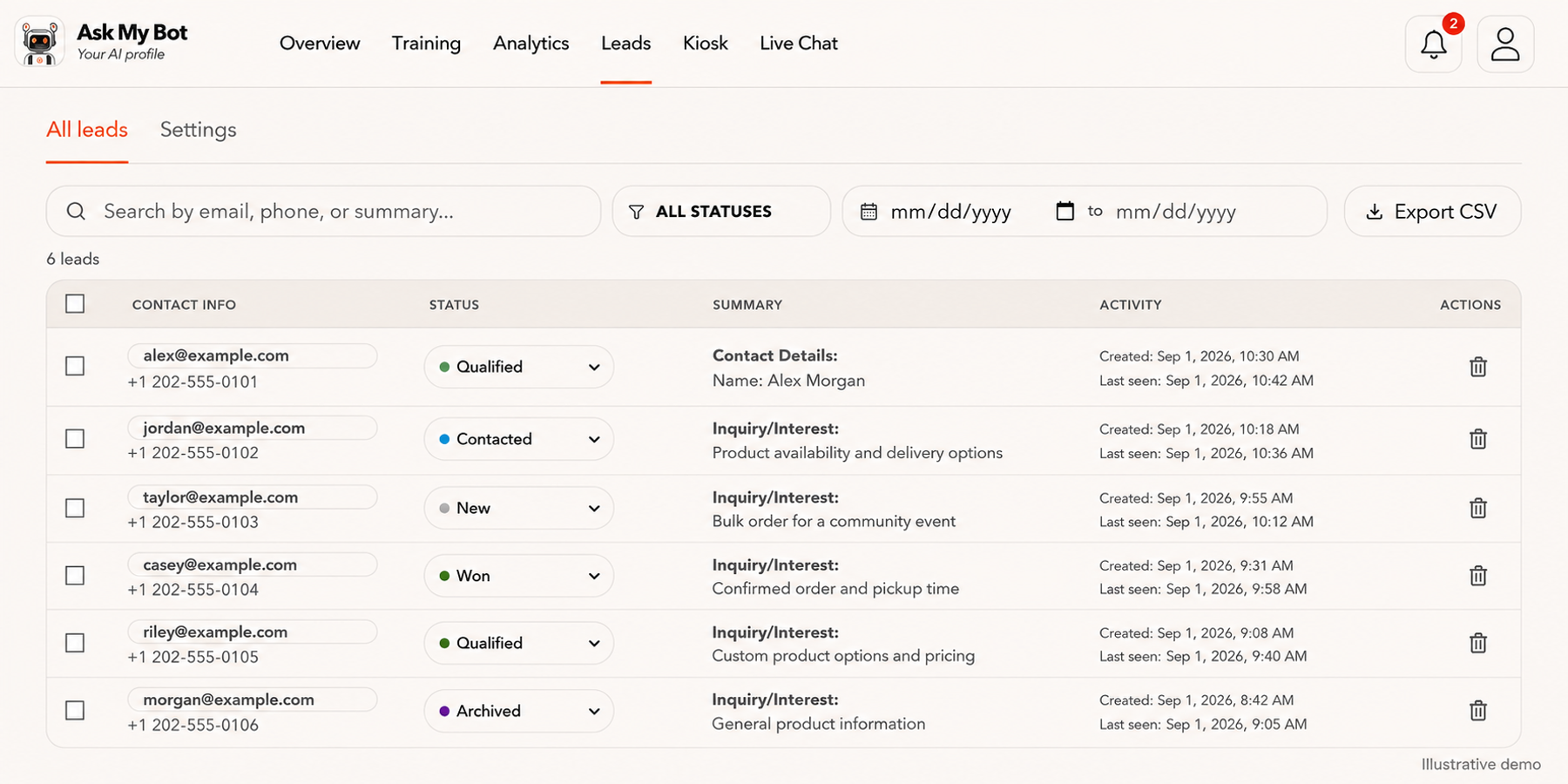
Review captured leads in one table
Leads → All leads shows fictional contact records in the app’s Contact Info, Status, Summary, Activity and Actions columns. On Pro or higher, teams can capture leads, update statuses, filter records and export CSV data.
Explore this workflowExplore the chatbot platform
Build around the knowledge and workflow you need
Customer support chatbot
Answer routine support questions and hand off when needed.
Business chatbot
Support visitors, leads, and teams with business knowledge.
Knowledge base chatbot
Turn FAQs and approved knowledge into direct answers.
PDF chatbot
Turn documents into grounded, searchable answers.
Website chatbot
Import site content and answer visitors on-page.
Private chatbot
Restrict internal knowledge to approved users.
Live API chatbot
Combine indexed knowledge with fresh endpoint data.
Lead-generation chatbot
Answer first, then capture qualified follow-up details.