Are these real customer records?
No. These AI-edited app illustrations use fictional business names, sample contacts and demonstration data. Counts and prices are examples, not performance claims.
Ask My Bot turns business knowledge into visitor answers, product discovery and follow-up conversations. Explore the creator workspace and customer experience below, from bot setup to Leads, Kiosk, Live Chat and Analytics.
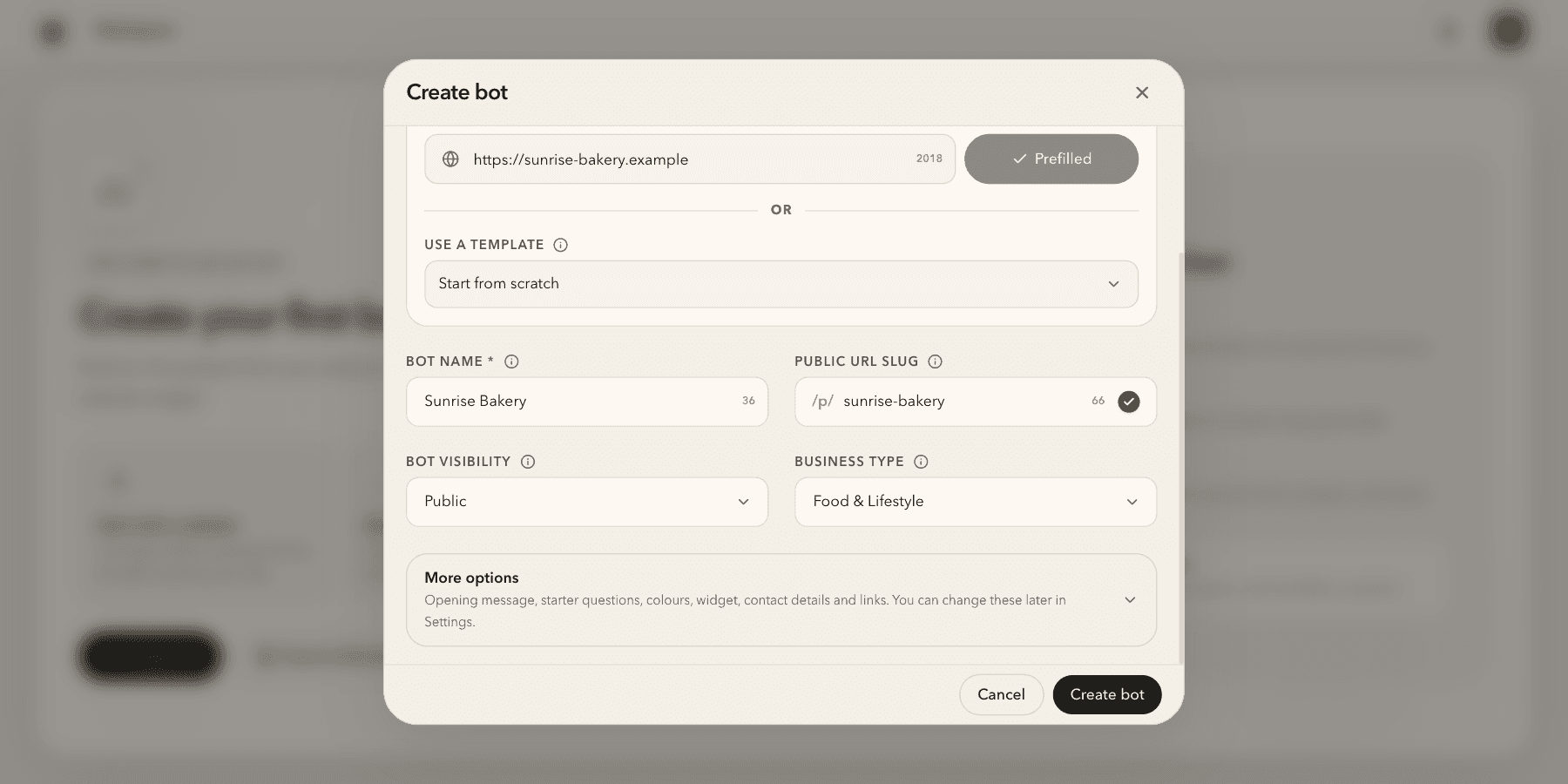
1. Create your bot. Paste your website and AskMyBot fills in the name, link and business type.
Illustrative app views with fictional businesses, contacts and sample data. Select an image to view it full size.
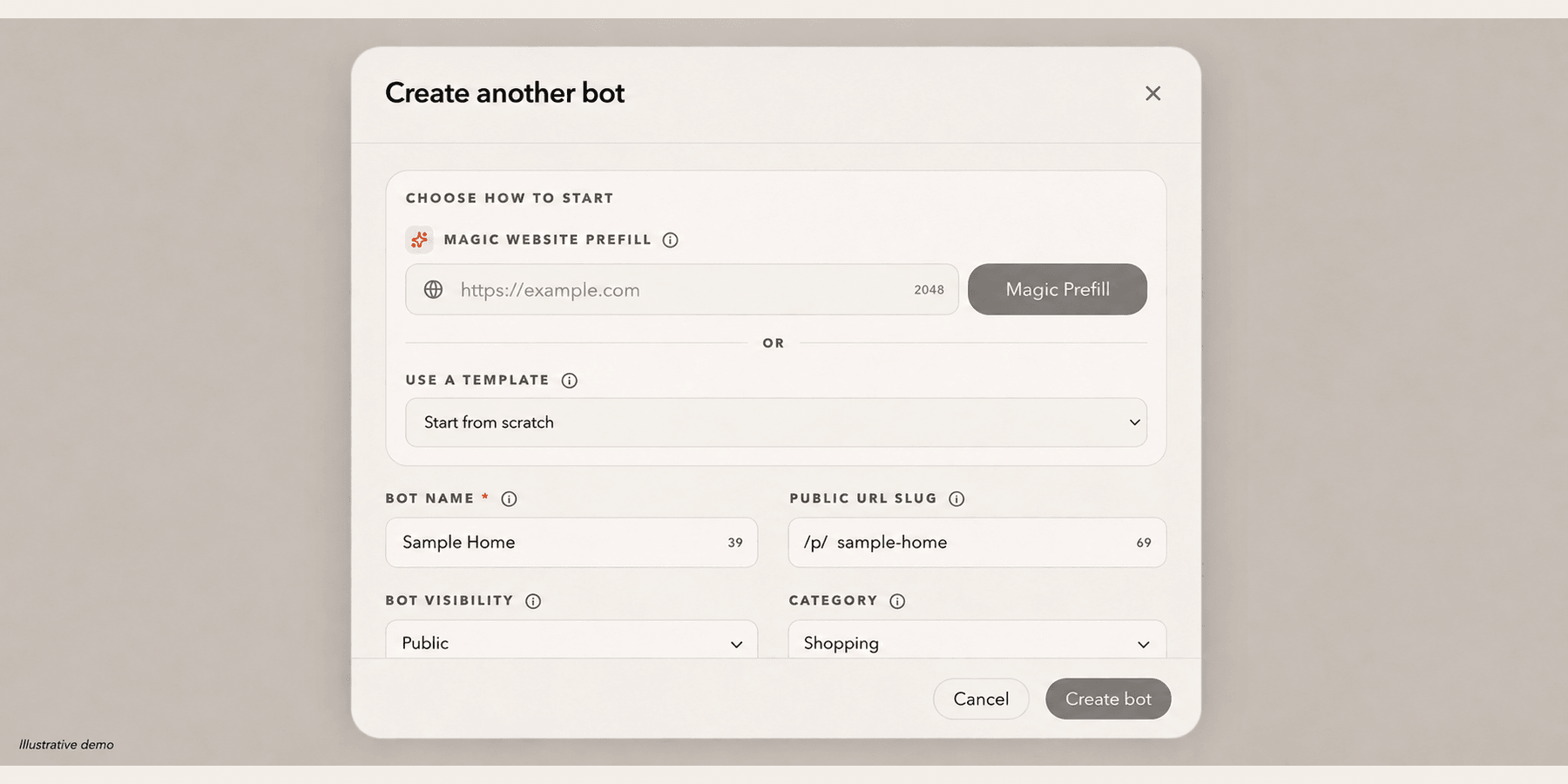
Start with a website URL or a bot name, then add your knowledge in Training. The owner can change the public URL later from Settings → Bot → Profile.
Explore this workflow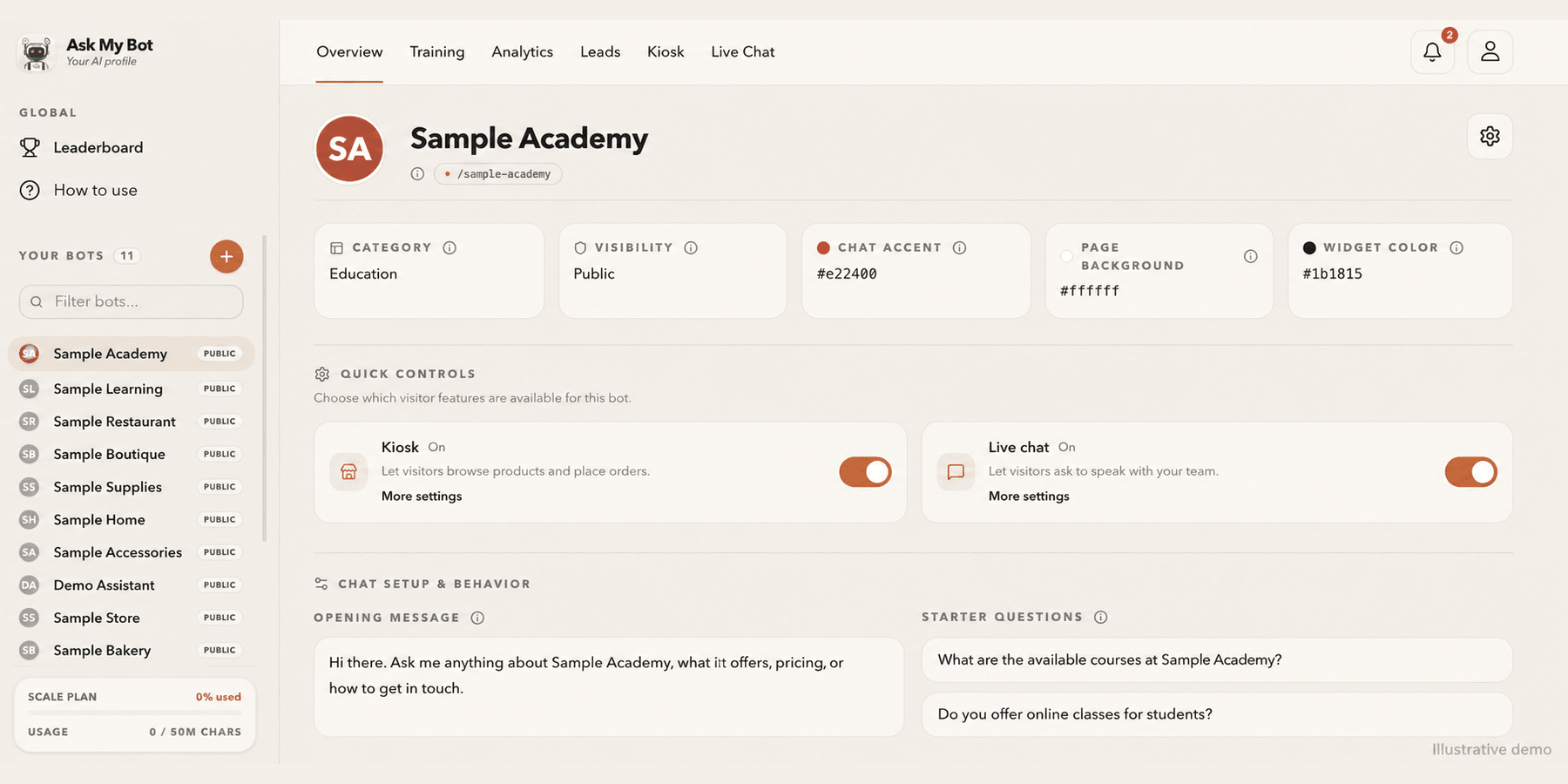
Overview shows your bot at a glance, including whether Kiosk and Live Chat are on for visitors. Edit the name, logo, cover photo, appearance, opening message and starter questions in the bot's Settings tab.
Explore this workflow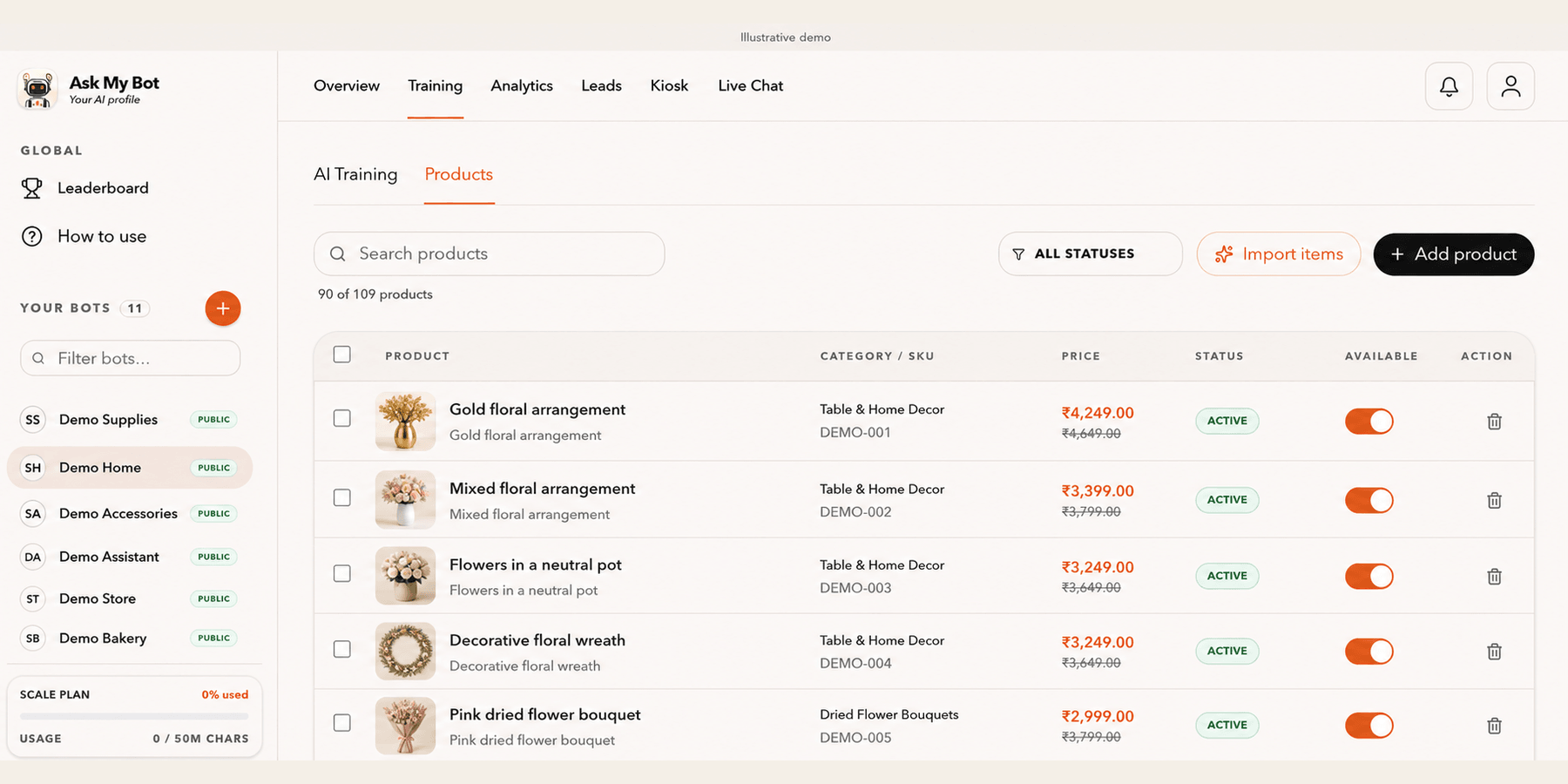
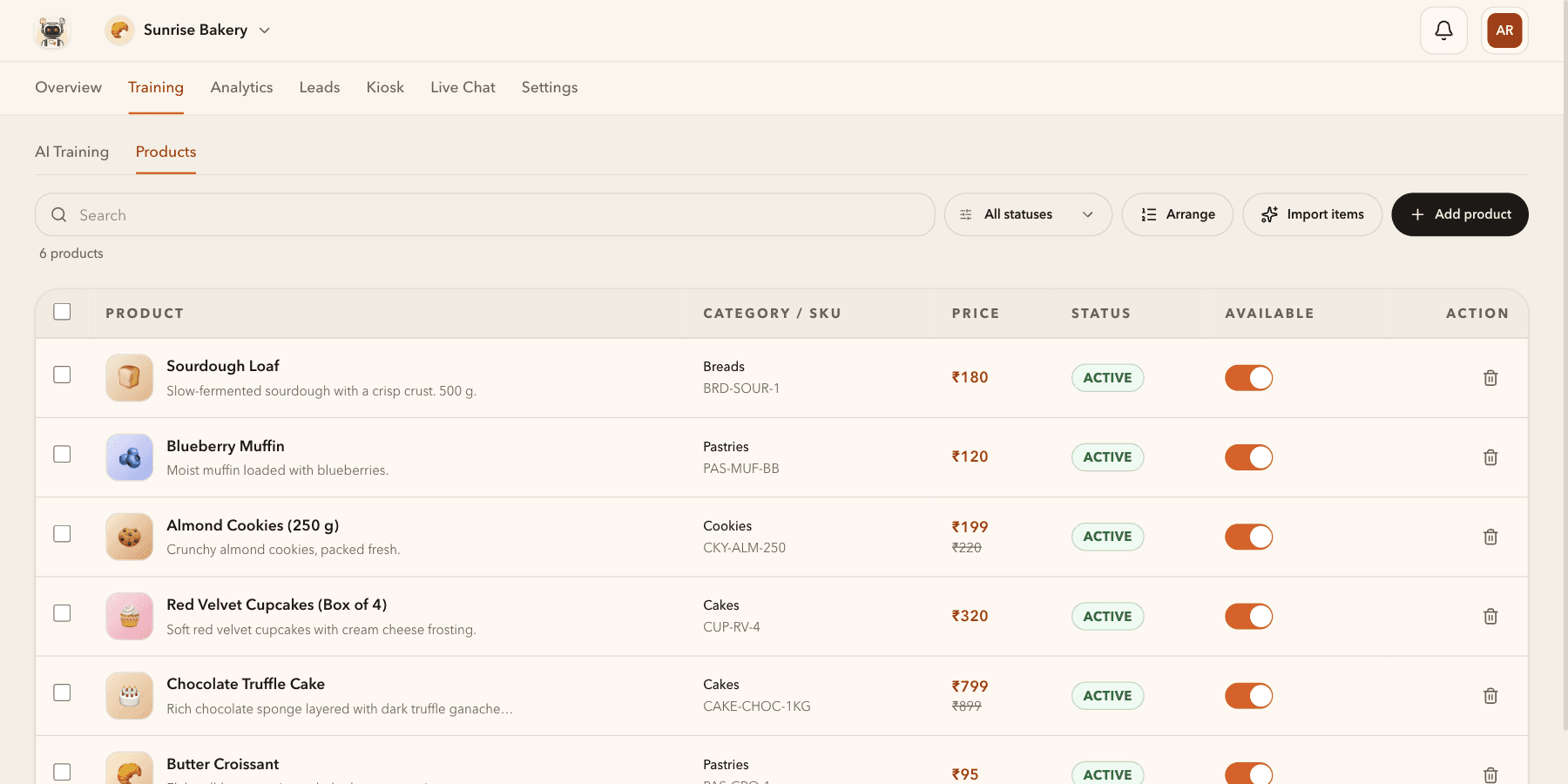
Training → Products organizes catalog items by name, description, category, SKU, price and availability. Review imported items before making them available to visitors.
Explore this workflow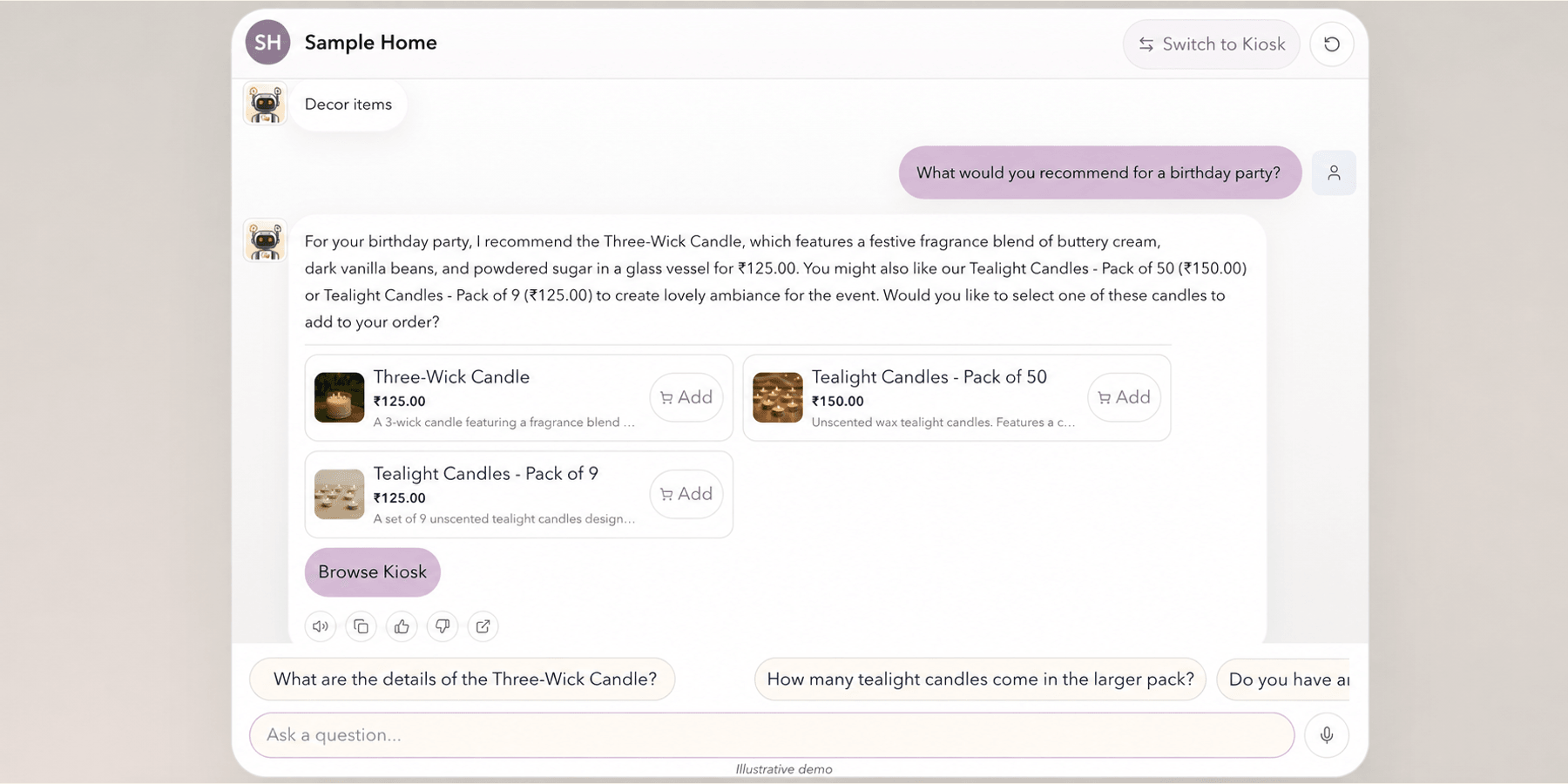
Visitors ask questions in Chat and receive answers from the bot’s available knowledge. Eligible bots can show catalog products and cart actions alongside the answer.
Explore this workflow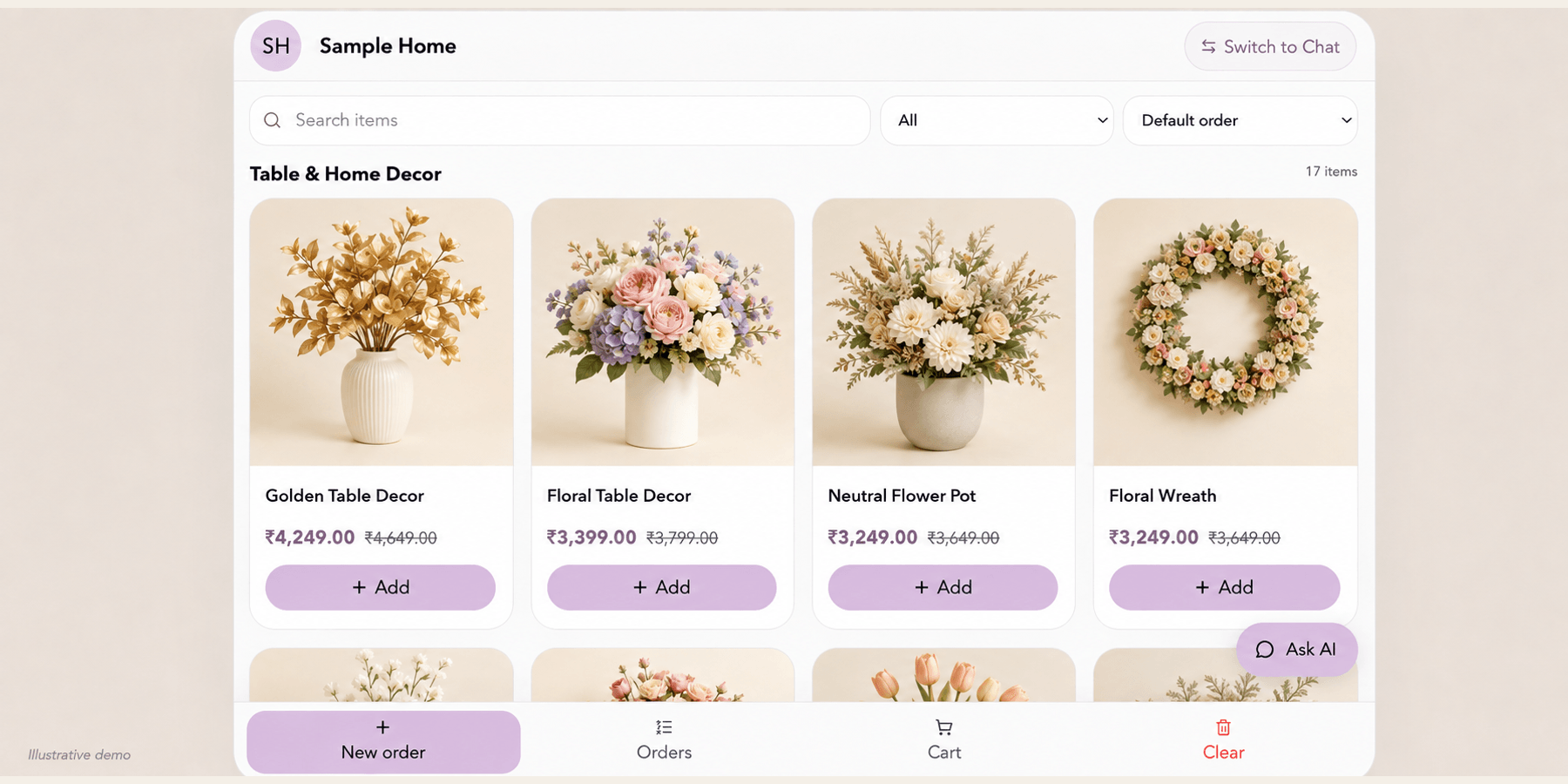
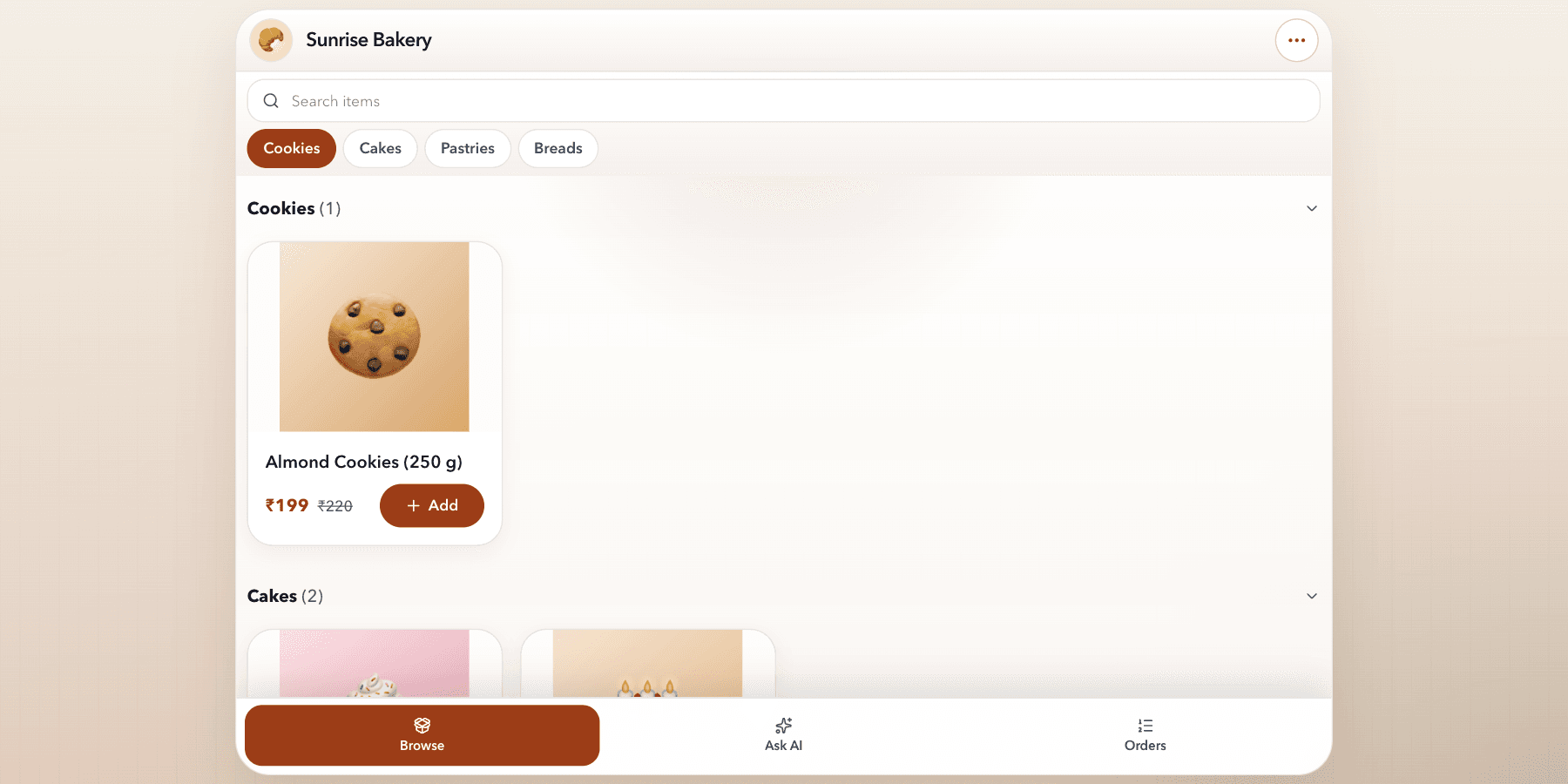
Customers search and browse available products, review prices and add items to a cart. Free Kiosk displays up to 4 products per bot; Pro displays up to 500, Business 1,000, and Scale 2,000. Kiosk records orders for manual fulfillment; payment processing is not included.
Explore this workflow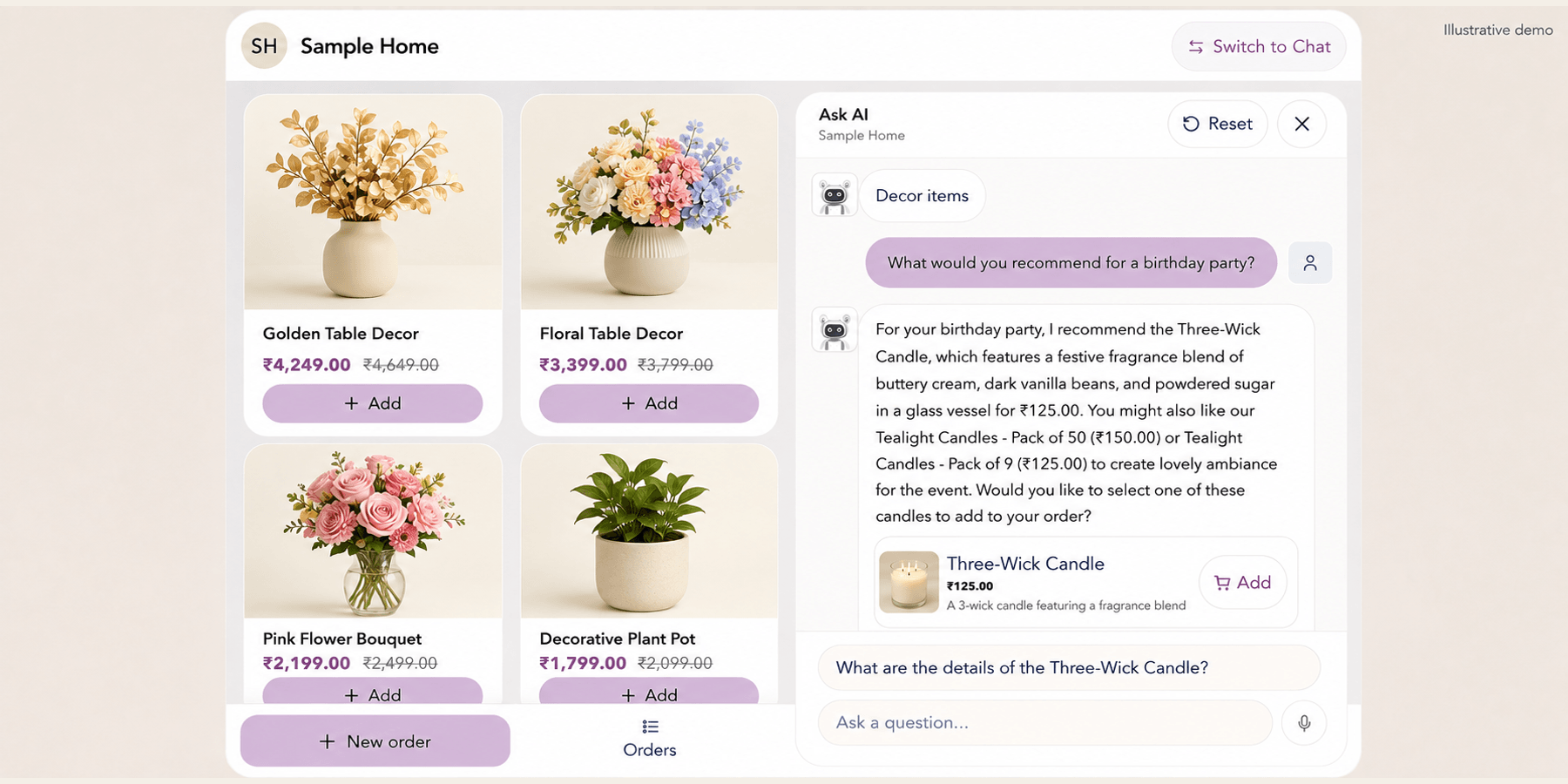
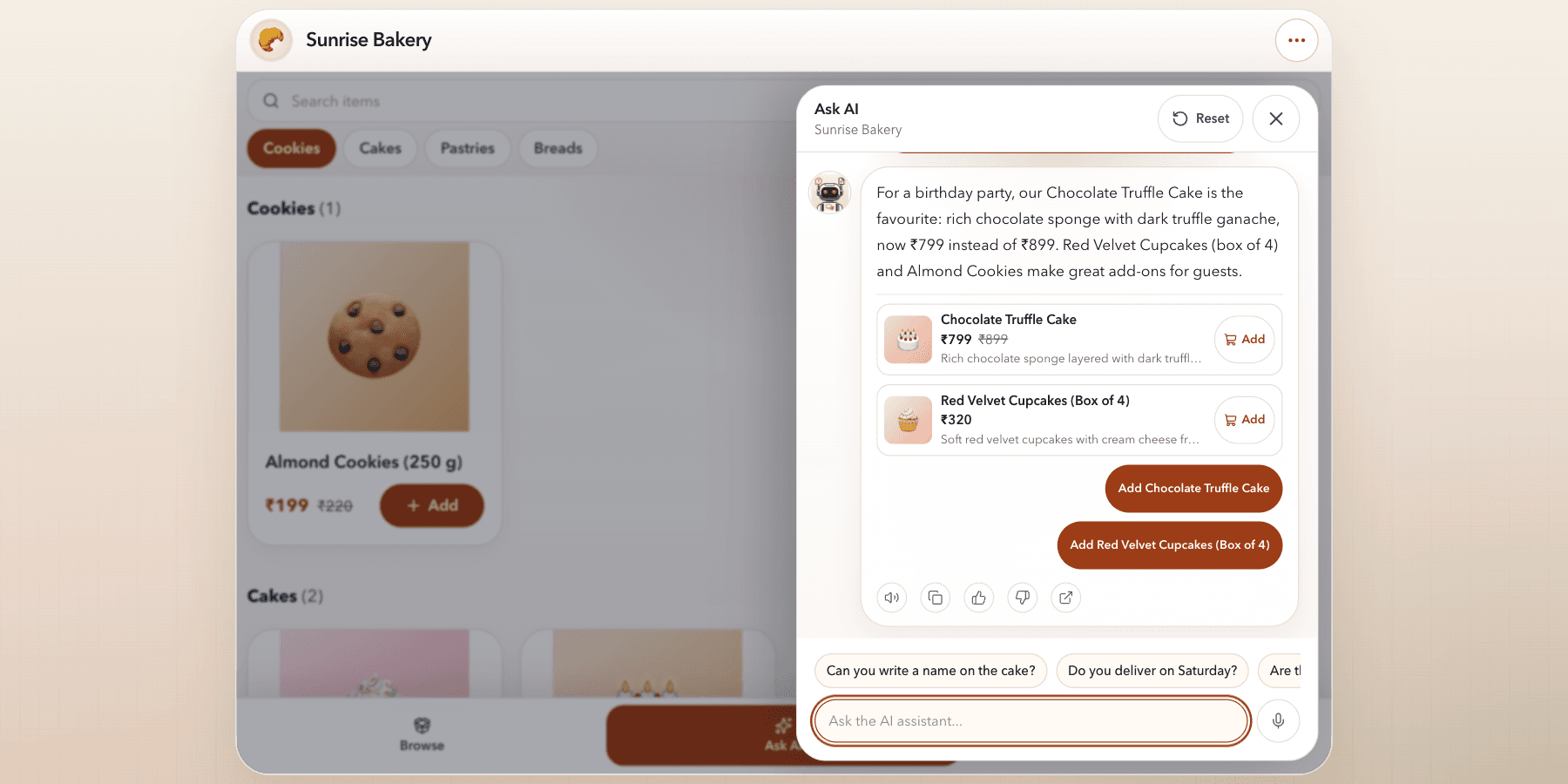
Ask AI opens beside the catalog so visitors can ask about products while browsing. Recommendations use available bot knowledge and catalog information.
Explore this workflow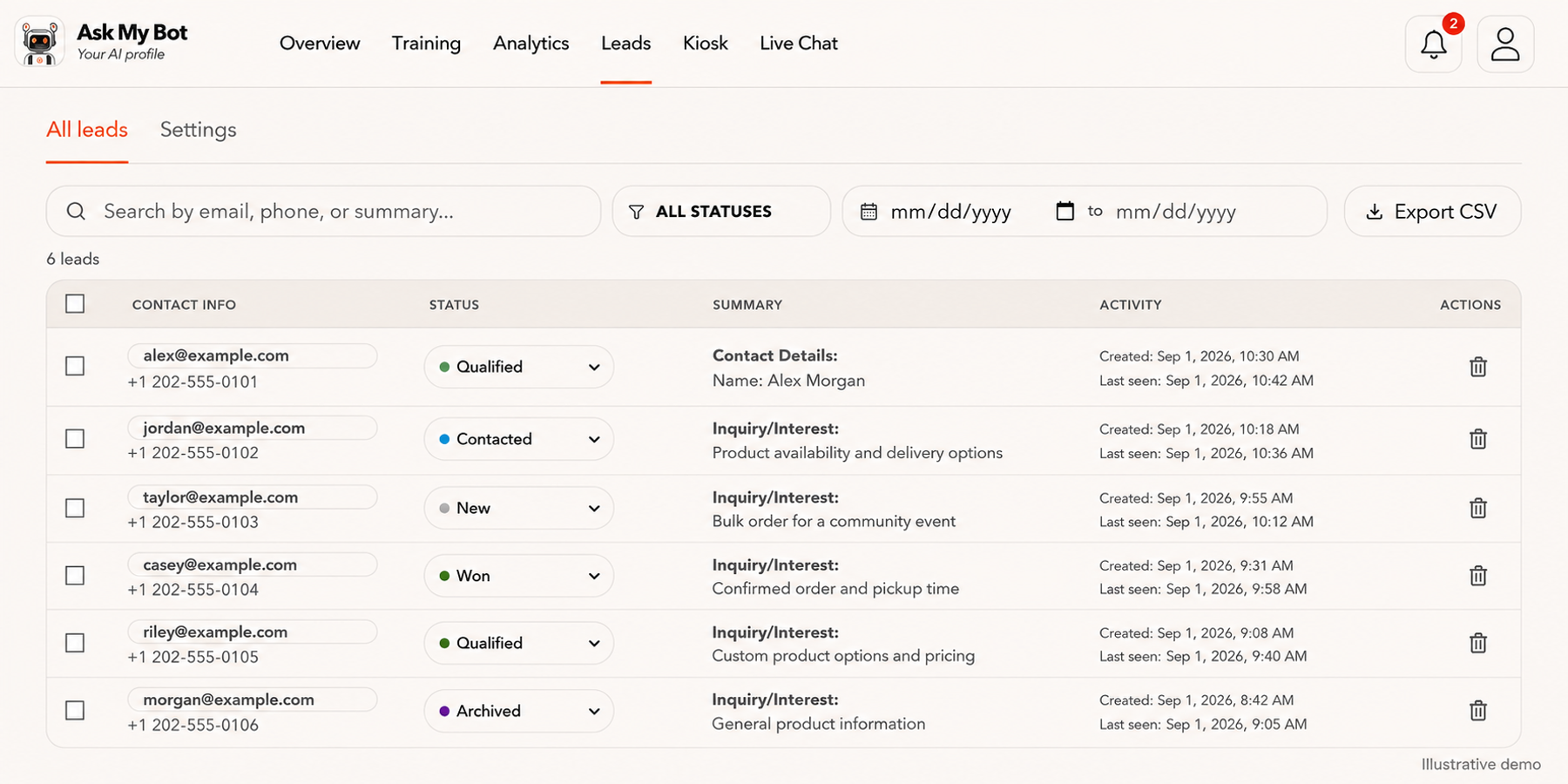
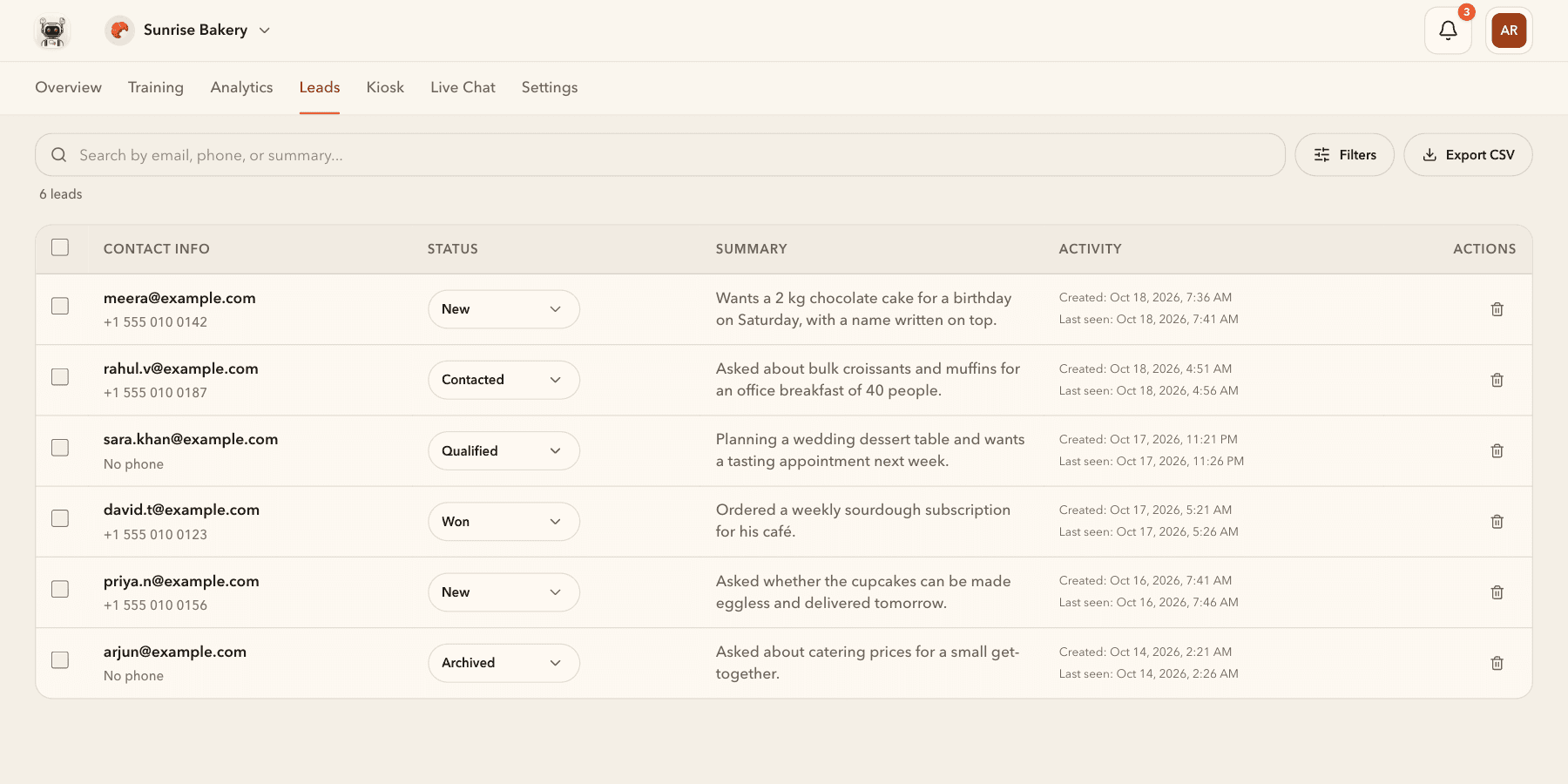
Leads → All leads shows fictional contact records in the app’s Contact Info, Status, Summary, Activity and Actions columns. On Pro or higher, teams can capture leads, update statuses, filter records and export CSV data.
Explore this workflow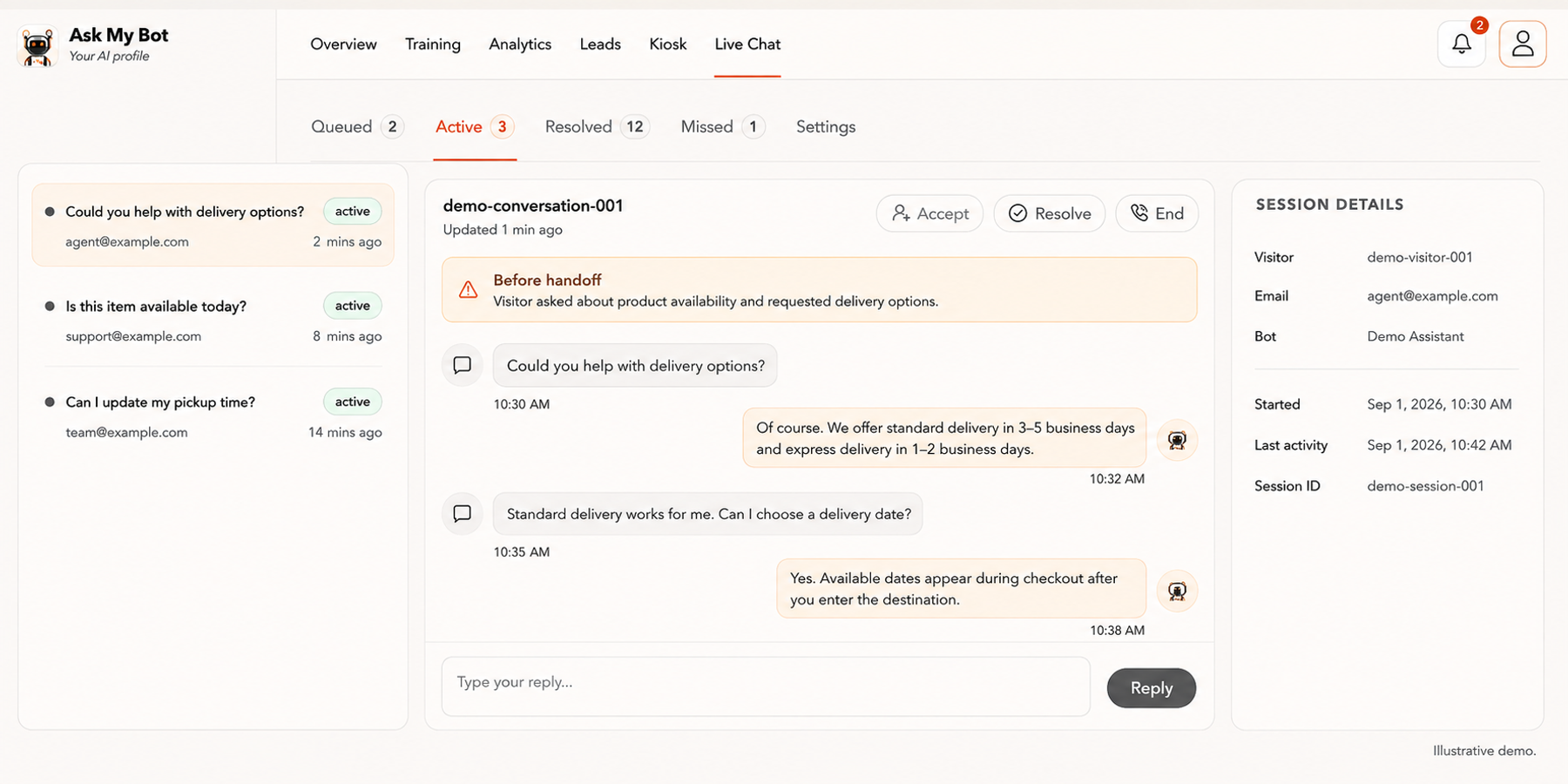
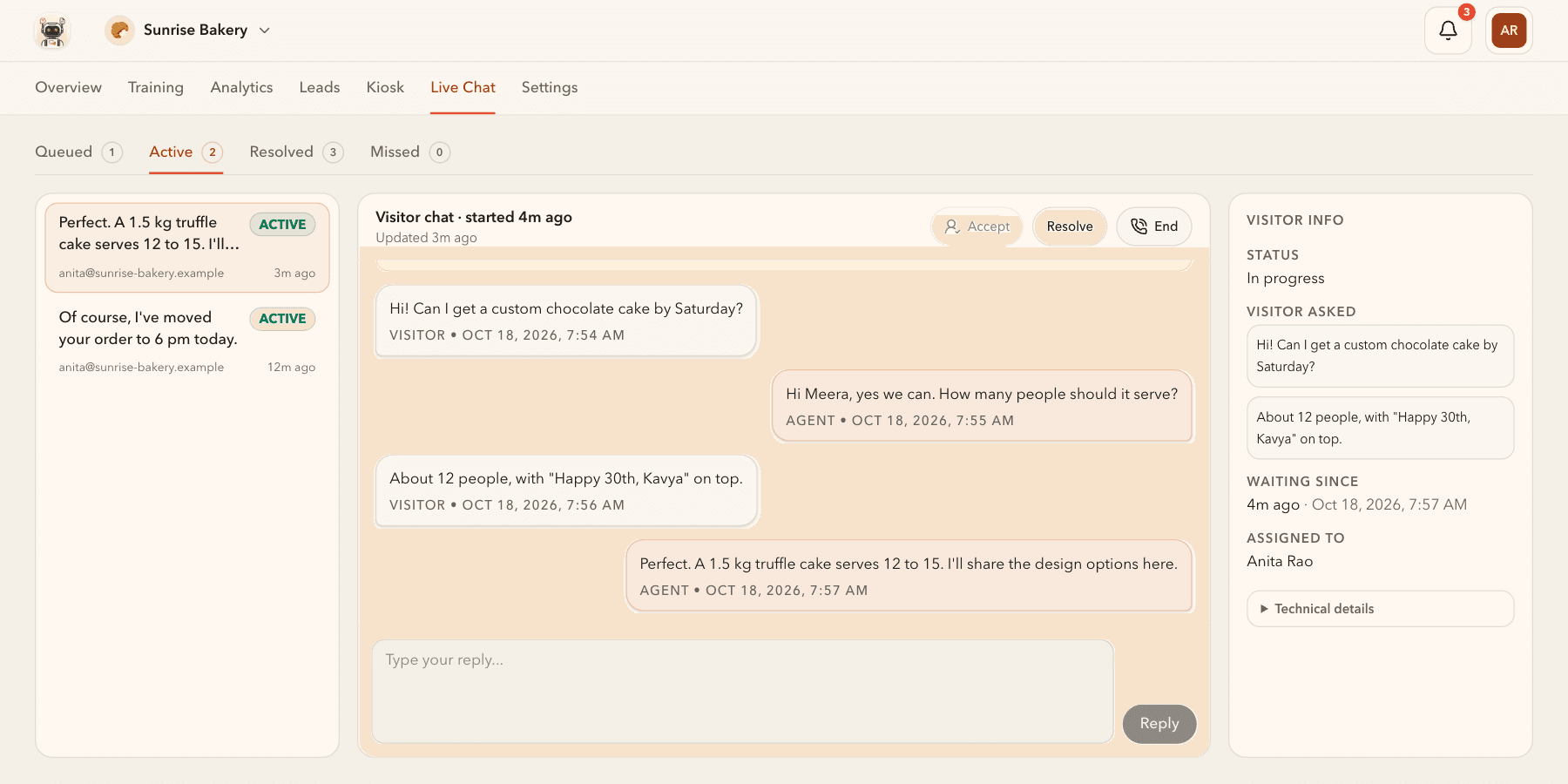
Live Chat brings active conversations, the selected transcript and session details together. On Business or higher, an available agent can accept a handoff, reply with context and resolve the conversation.
Explore this workflow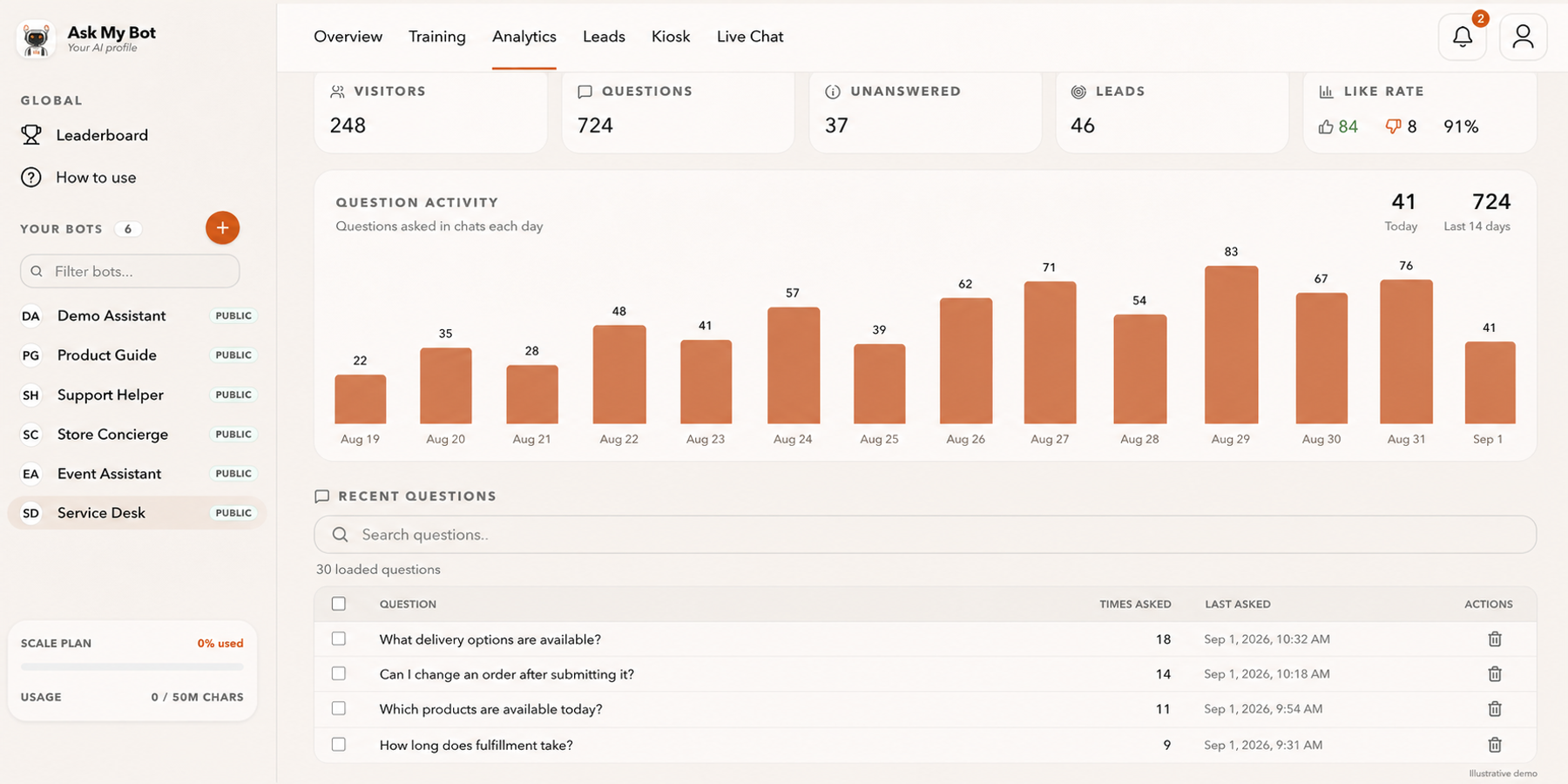
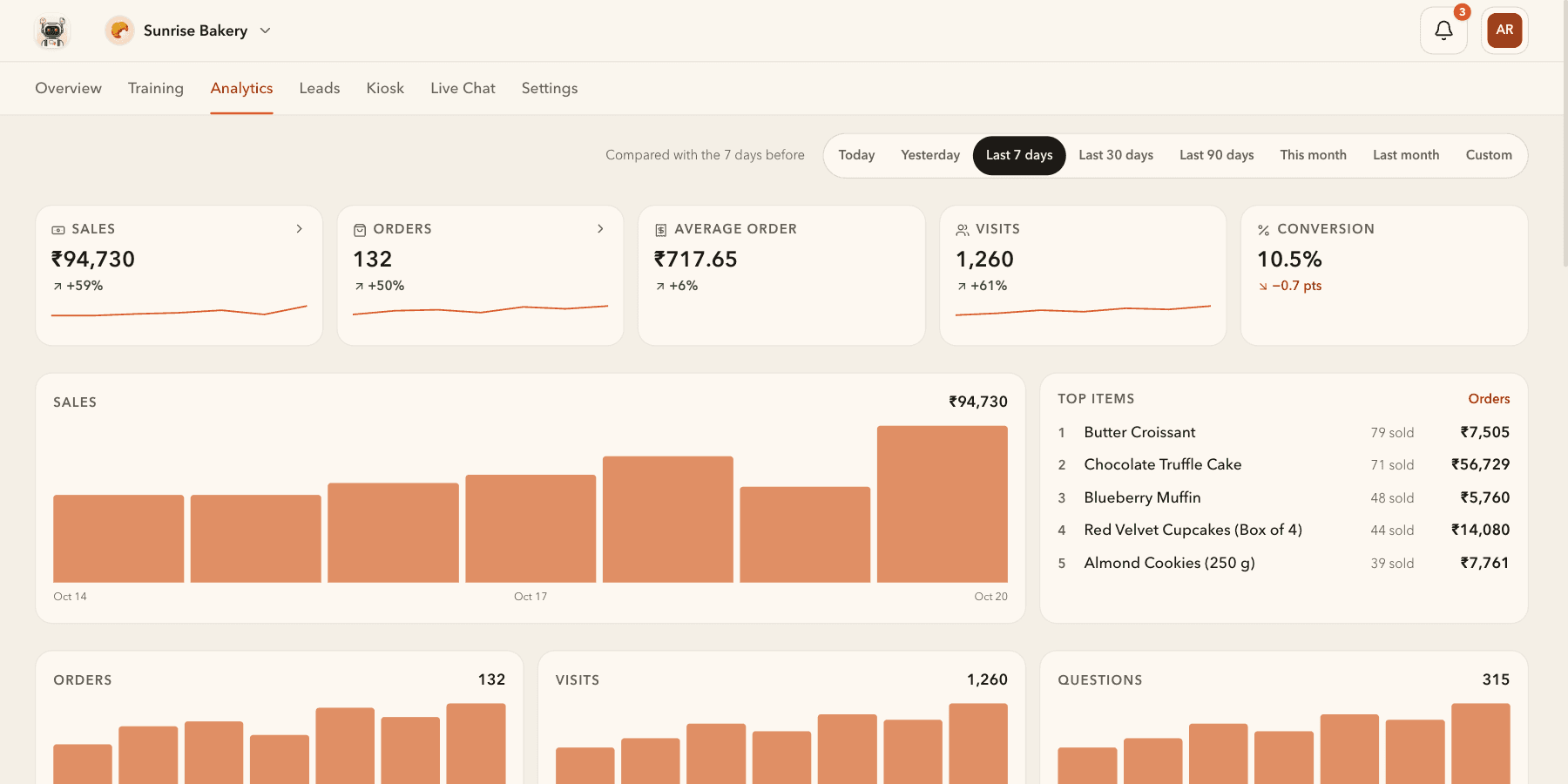
Analytics compares sales, orders, visits and conversion with the period before, on every active plan. The pictured numbers are fictional demonstration data.
Explore this workflow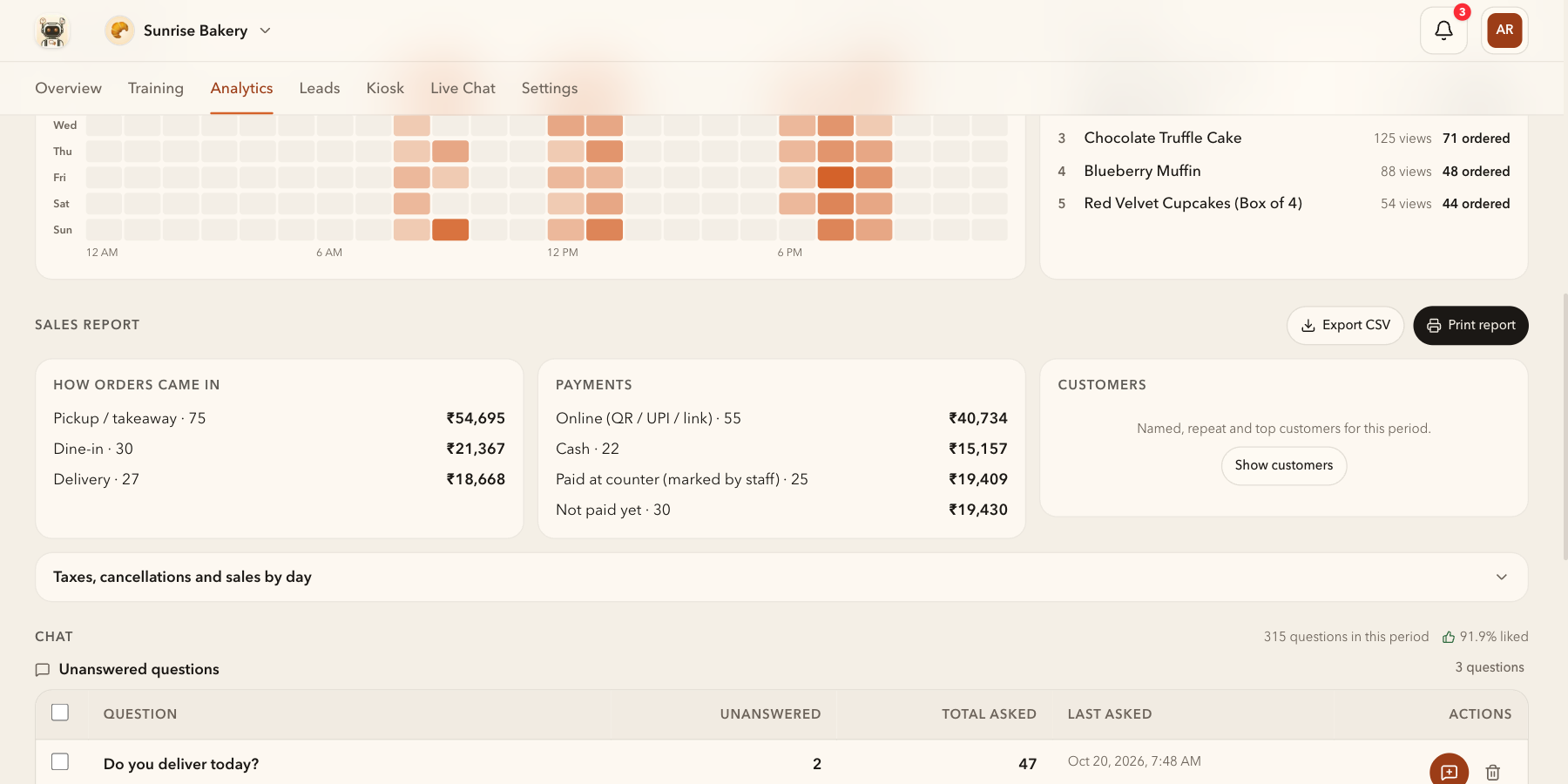
Busiest hours shows when orders come in, Most viewed what people look at, and the Sales report how orders came in and were paid, ready to print or export. The pictured numbers are fictional demonstration data.
Explore this workflow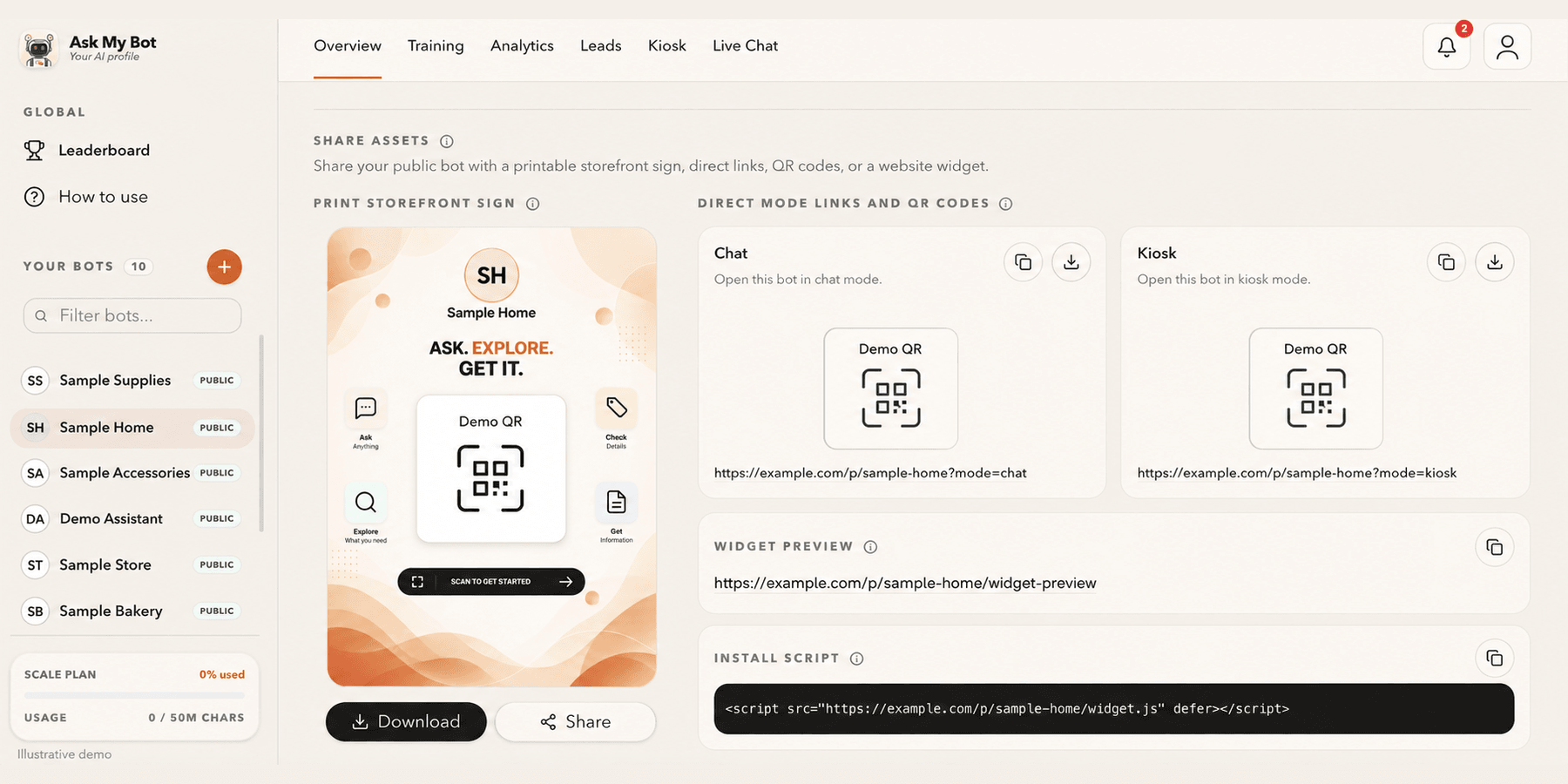
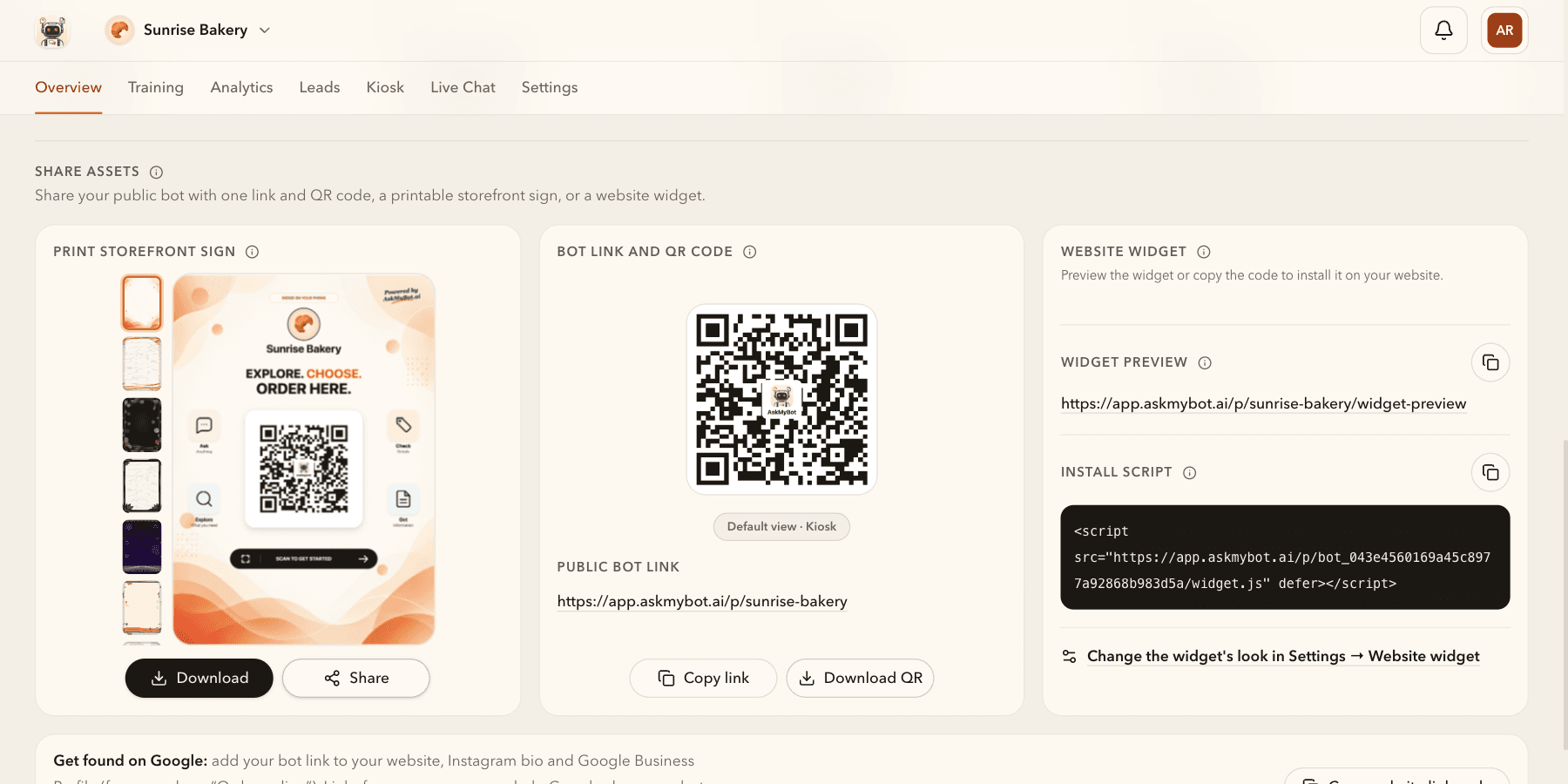
Overview → Share assets provides one public link and QR code, a printable storefront sign and the website install script. The pictured bakery is fictional; copy working assets from your own bot.
Explore this workflow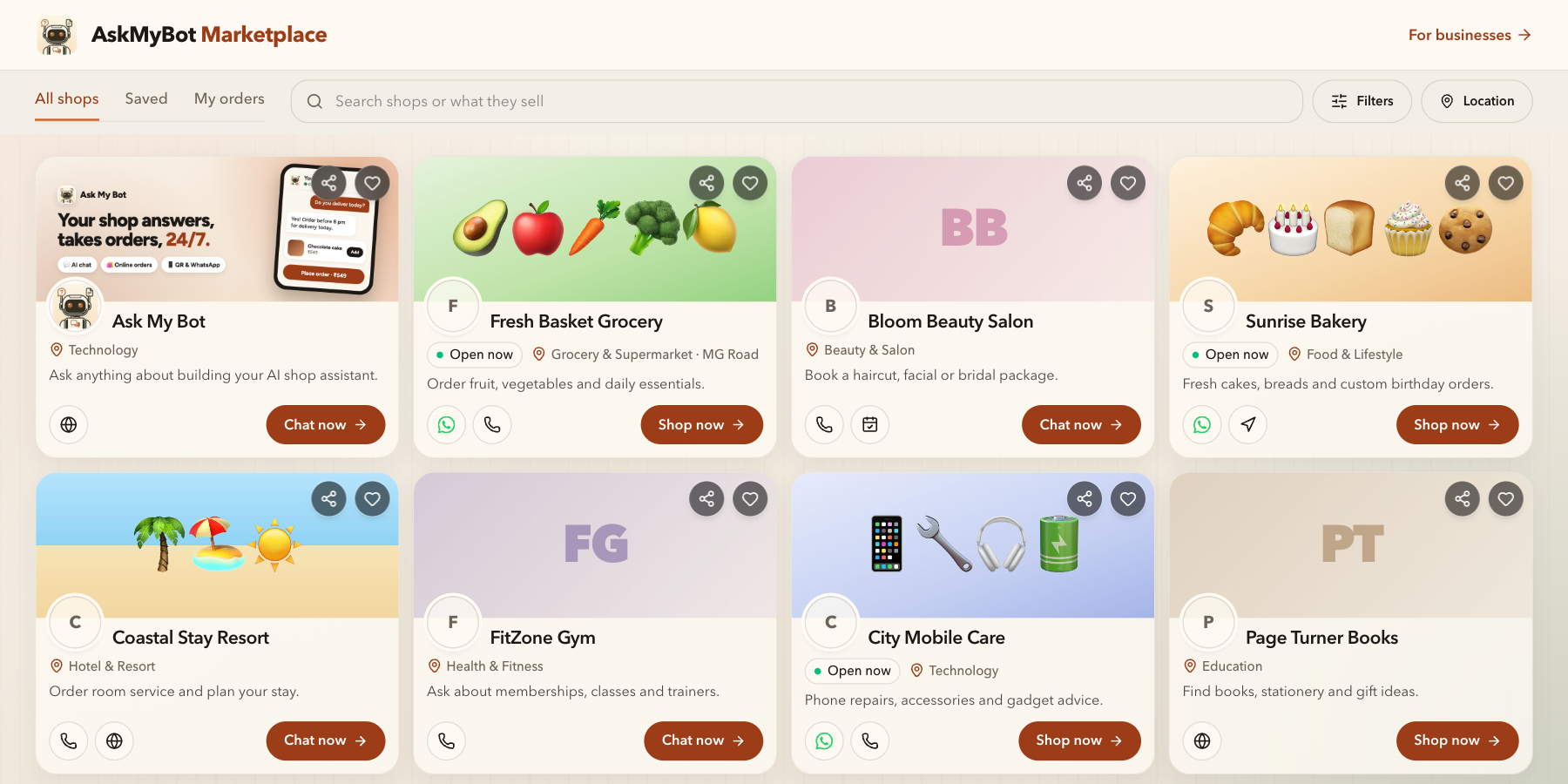
Marketplace lets visitors discover public shops and chat bots, then open the shopping or chat experience. Apart from Ask My Bot, the shops pictured are fictional and illustrate the interface; they are not customer endorsements or current rankings.
Explore this workflowNo. These AI-edited app illustrations use fictional business names, sample contacts and demonstration data. Counts and prices are examples, not performance claims.
Leads → All leads displays contact information, status, summary and activity. The example uses fictional email addresses and phone numbers in the same columns as the app. Leads capture and status updates require Pro or higher.
Free Kiosk displays up to 4 products per bot; Pro displays up to 500, Business 1,000, and Scale 2,000. Kiosk lets visitors browse products and submit orders for manual fulfillment. It does not process payments; customers pay you directly, for example through your own payment link or UPI QR code. Live Chat on Business or higher lets available agents accept handoffs and reply with conversation context.
Open your bot’s Overview → Share assets and copy its links or download its QR code. The tour pictures a fictional bakery, so its links and QR code don't open a working bot.