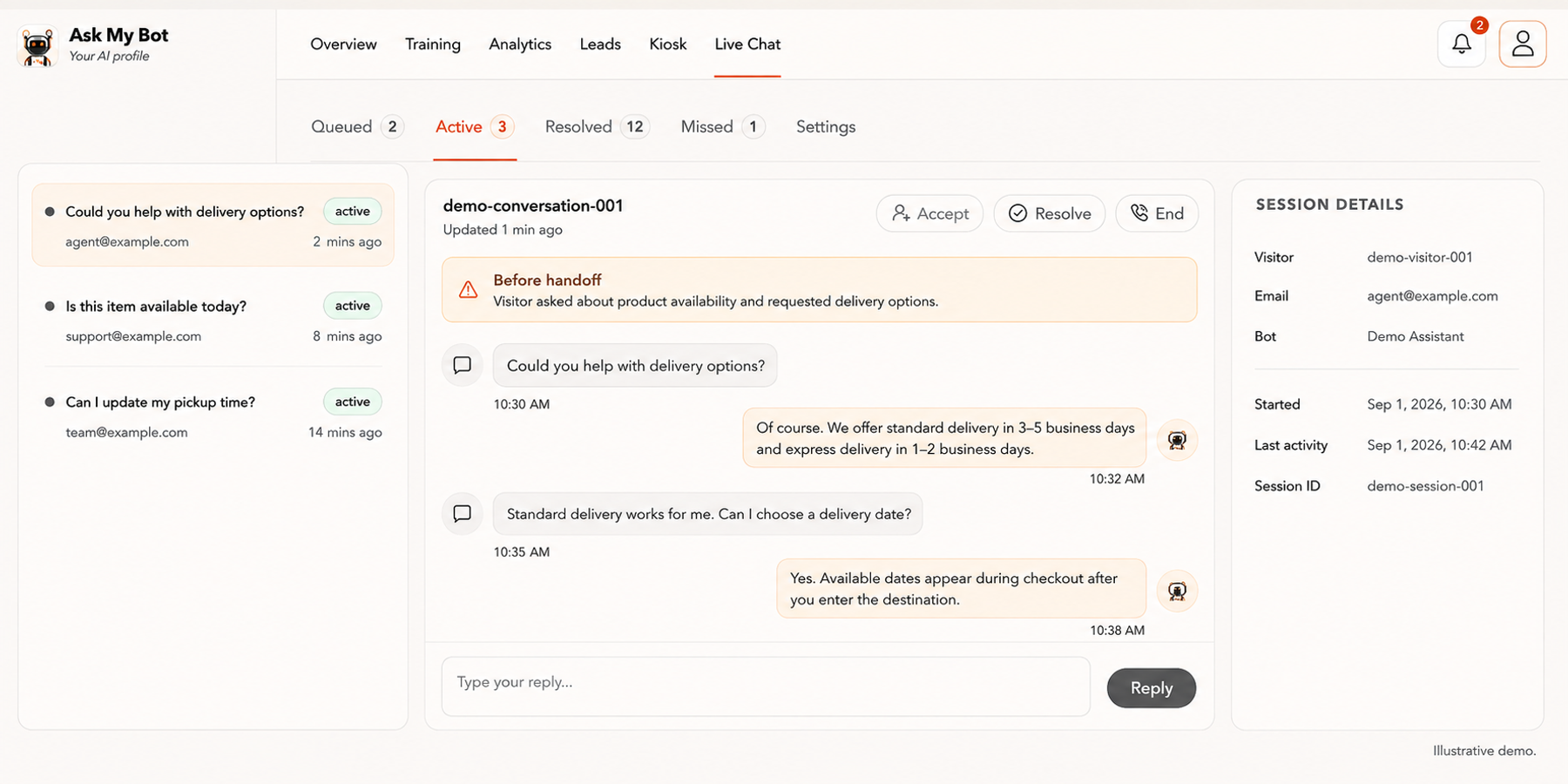
On Business and Scale plans, visitors can ask for human help without logging in. Your team replies directly from the Live Inbox. Offline visitors become leads with full conversation context.
How it works
Ask My Bot answers questions from your trained content first. When a visitor types a clear request for human help, Ask My Bot hands them off to your team. If your team is online, they reply directly. If offline, the visitor becomes a lead with the full conversation transcript.
Plan availability
Live chat handoff is included on Business and Scale plans. Visitors can request human help; teams reply from the workspace Live Inbox.
Lead capture with context
Offline visitors are captured as leads with their contact details and the full conversation history, so your team can follow up with rich context.
Key features
Visitor handoff request
When visitors type clear requests like 'Can I talk to a person?', Ask My Bot detects it and queues them for your team.
Agent queue
Assigned agents see queued and active chats in the Live Inbox, with unread message counts and agent presence tracking.
Direct agent replies
Your team replies directly to visitors without requiring them to log in or switch platforms.
Offline lead capture
If no agents are available, Ask My Bot asks the visitor for contact details and captures them as a lead with the full transcript.
Conversation timeout
Queued chats move to Missed if no agent accepts within 8 minutes, and the visitor is captured as a lead.
Webhook forwarding
Missed chats are sent to your external CRM or webhook endpoint alongside other captured leads.
Frequently asked questions
Which plans include live chat handoff?
Live chat handoff is available on Business and Scale plans.
How do visitors request a human?
Visitors type natural messages like 'Can I talk to a person?', 'Connect me to support', or 'I need a human'. Ask My Bot detects these requests and queues them.
What happens if no agents are online?
Ask My Bot asks the visitor for their contact details and captures them as a lead with the conversation history. The lead is then sent to your webhooks if configured.
Can agents see the conversation history?
Yes. Agents view the visitor's message history and previous AI answers in the Live Inbox, providing full context for their reply.
Do visitors need to log in?
No. Visitors request human help without logging in. They only provide contact details if no agents are available and Ask My Bot asks for lead capture.
How long does a visitor wait in the queue?
Up to 8 minutes. If no agent accepts in that time, the conversation moves to Missed and the visitor is captured as a lead with the transcript.
Illustrative app views with fictional businesses, contacts and sample data. Select an image to view it full size.
Continue the conversation with a person
Live Chat brings active conversations, the selected transcript and session details together. On Business or higher, an available agent can accept a handoff, reply with context and resolve the conversation.