Website Widget
Embed your public bot on approved domains with an install script for on-site conversations.
Integration Surface
Use integrations to make your bot part of your website and operational workflows, while keeping answer quality grounded in your content and live context.
Embed your public bot on approved domains with an install script for on-site conversations.
Forward captured chat leads to your CRM or automation workflows (Business and Scale).
Forward newly placed Kiosk orders to fulfillment or automation workflows (Business and Scale).
Connect external APIs so answers can include fresh operational data at runtime.
Share bots using hosted public pages for easy discovery and direct chat access.
Download the bot's QR code or a printable A4 storefront sign in 9 styles for menus, counters, events, flyers, and business cards.
Invite teammates by email with Admin access to help manage the bot, or Private chat only for a private bot.
When visitors ask for human help, hand off to your team. Missed chats are captured as leads with full transcript context.
Each public bot gets an install script. Domain allow lists let you control which sites can load it.
<script
  src="https://app.askmybot.ai/p/your-bot/widget.js"
  data-ask-my-bot-title="Ask My Bot"
  data-ask-my-bot-position="bottom-right"
  defer
></script>Business and Scale can forward captured leads and new Kiosk orders to CRMs, fulfillment systems, automation tools, or custom APIs. Set both up in Settings → Integrations → Webhooks; tick New orders to forward orders too.
Lead example
{
  "event": "lead_captured",
  "lead": {
    "email": "visitor@example.com",
    "conversationSummary": "Visitor asked about pricing and availability.",
    "referenceId": "AMB-123456",
    "status": "New",
    "customFields": {
      "phone_number": "+1 555 0100"
    }
  }
}
Order example
{
  "version": "1.0",
  "id": "event_123",
  "event": "order.created",
  "createdAt": "2026-08-30T12:00:00.000Z",
  "bot": { "slug": "your-bot", "name": "Your Bot" },
  "order": {
    "id": "order_123",
    "orderNumber": "AMB-001",
    "status": "new",
    "currency": "USD",
    "totalMinor": 1500,
    "items": []
  }
}Illustrative app views with fictional businesses, contacts and sample data. Select an image to view it full size.
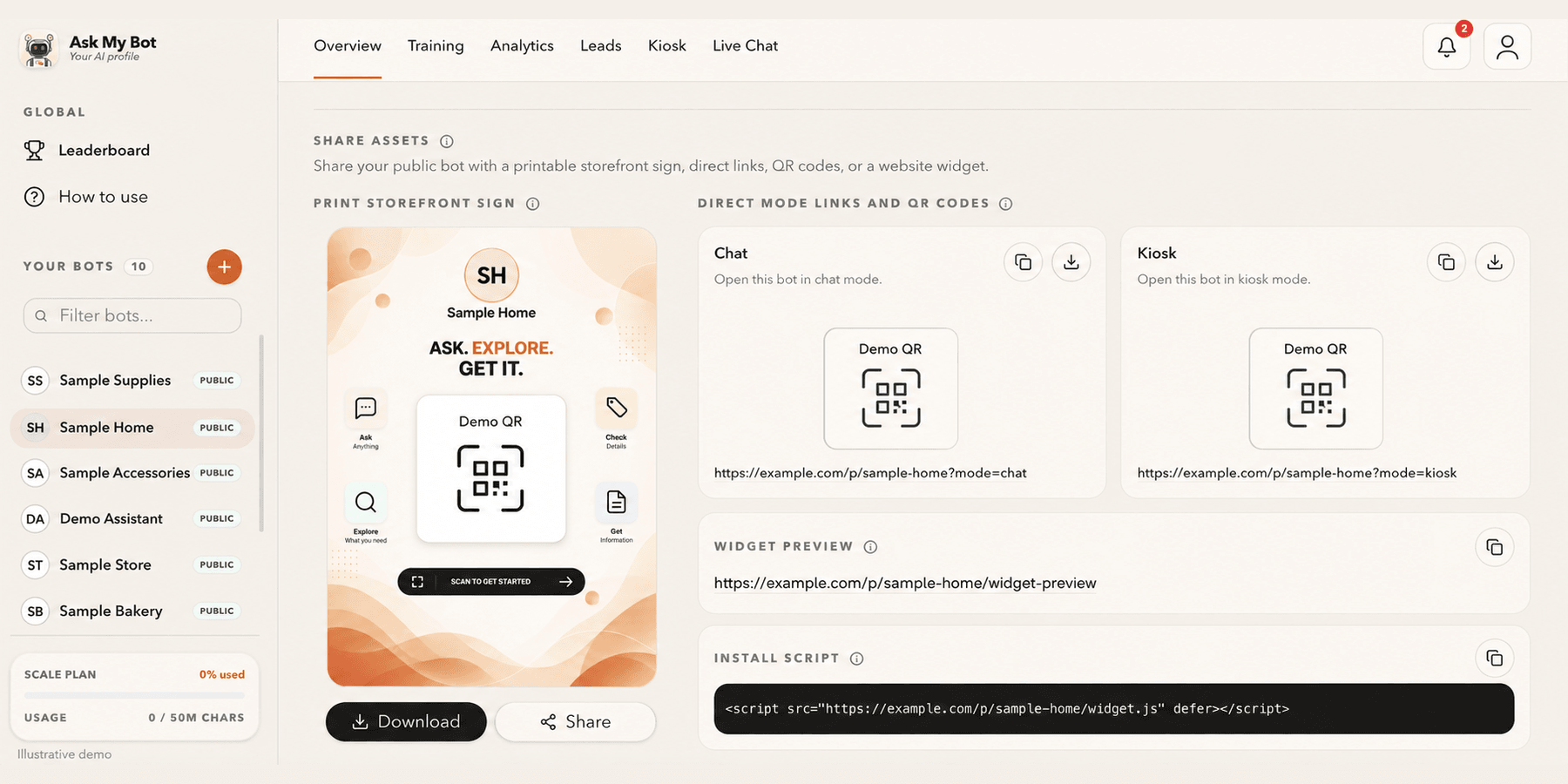
Overview → Share assets provides one public link and QR code, a printable storefront sign and the website install script. The pictured bakery is fictional; copy working assets from your own bot.
Explore this workflow