Ask My Bot supports both public bots for growth and private bots for controlled internal access.
Public bots
Public bots can be shared publicly and embedded with a website widget. They may appear in search engines, with no separate search-indexing switch. Public visibility does not guarantee Ask My Bot discovery or sitemap inclusion: locked, deleting, malformed, unsafe, or otherwise not SEO-ready bots may be excluded. Google indexing or ranking is never guaranteed.
Private bots
Private bots require approved signed-in access for the owner, bot admins, and private-chat viewers. They are never eligible for public search indexing, are not intentionally exposed through public discovery, and do not provide public installable widgets. Approved users can open the website/background preview after authorization.
Choose public for customer-facing answers
A public bot is the better fit for product FAQs, restaurant menus, creator profiles, service information, event details, and lead capture. Anyone with the link can open it, and the same knowledge can appear inside an approved website through the widget.
Choose private for restricted knowledge
A private bot is designed for internal policies, client material, team playbooks, training documents, or other knowledge that should only be available to approved people. Visitors must sign in with an allowed email address before they can use it.
Test privately before publishing
You can begin with private access while checking answers, source coverage, and opening questions. Publish only after the bot handles realistic visitor questions, and return it to private access if its content should no longer be publicly available.
Questions to ask before choosing visibility
Should an anonymous visitor be able to read answers from this content?
Does the bot contain confidential, licensed, personal, or client-only material?
Do you need a public link, QR code, website widget, or lead-capture flow?
Have you tested questions whose answers are present and absent from the sources?
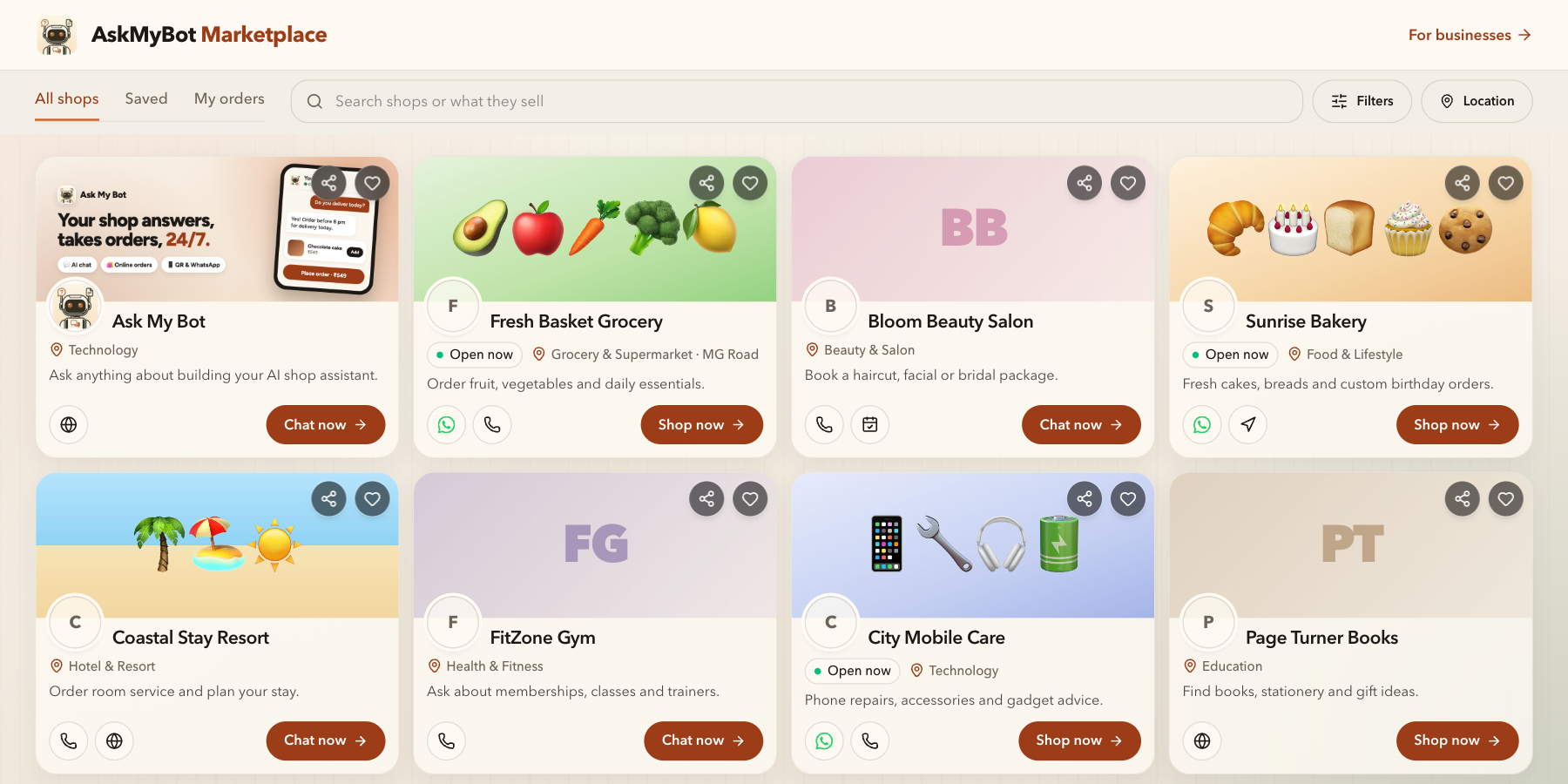
Illustrative app views with fictional businesses, contacts and sample data. Select an image to view it full size.
Explore shops and chat bots in Marketplace
Marketplace lets visitors discover public shops and chat bots, then open the shopping or chat experience. Apart from Ask My Bot, the shops pictured are fictional and illustrate the interface; they are not customer endorsements or current rankings.