Private chatbot
Create a private chatbot for approved users
Turn policies, playbooks, client material, training files, and other restricted knowledge into an AI assistant that requires sign-in. Ask My Bot checks the visitor against the bot's approved-email list before serving the private experience.
Where private chatbots are useful
Internal policy assistant
Help approved team members find procedures, benefits, onboarding steps, operational rules, or training answers without searching document folders manually.
Client-specific knowledge
Create a bot for approved client contacts using project material, implementation notes, deliverables, and support documentation.
Private validation workspace
Keep a customer-facing bot restricted while checking retrieval quality, missing answers, and source accuracy before making it public.
How private access works
Step 1
Create and train
Add PDFs, documents, images, spreadsheets, website content, or pasted text to the bot's knowledge base.
Step 2
Choose private visibility
Set the bot to private to restrict access and exclude it from public search indexing, discovery, installable widgets, and public lead prompts. Approved signed-in users can still open its website/background preview.
Step 3
Approve users
Add the email addresses that should have access. The owner remains authorized automatically.
Step 4
Test access and answers
Verify both allowed and denied sign-ins, then test questions whose answers are present and absent from the sources.
Choose a private chatbot when
- Anonymous visitors should not be able to access the source knowledge.
- A defined group of employees, partners, clients, or reviewers needs access.
- You want conversational search without publishing a widget or public URL.
- A future public bot needs a controlled testing period first.
Review before uploading
- Confirm you have permission to process the documents through cloud and AI providers.
- Remove secrets or records that the approved audience does not need.
- Do not describe access control as a guarantee of absolute security.
- Use a public bot instead when anonymous access, widgets, QR sharing, or lead capture is required.
Frequently asked questions
Who can access a private Ask My Bot chatbot?
The owner, bot admins, and approved private-chat viewers can access a private bot after sign-in and authorization. Private bots are never eligible for public search indexing.
Can a private chatbot be embedded on a public website?
No. Private bots do not provide public installable website widgets or anonymous access. The owner, bot admins, and approved private-chat viewers can open the website/background preview after sign-in and authorization; private details are not shown before authorization.
Can I test a bot privately before publishing it?
Yes. You can keep a bot private while validating answers and source coverage, then change its visibility when it is ready for public use.
Does private mean the content never reaches service providers?
No. Private content still uses the platform's storage, search, and AI providers so retrieval and answer generation can work. Private refers to product access controls, not offline processing.
See how it works in the app
Illustrative app views with fictional businesses, contacts and sample data. Select an image to view it full size.
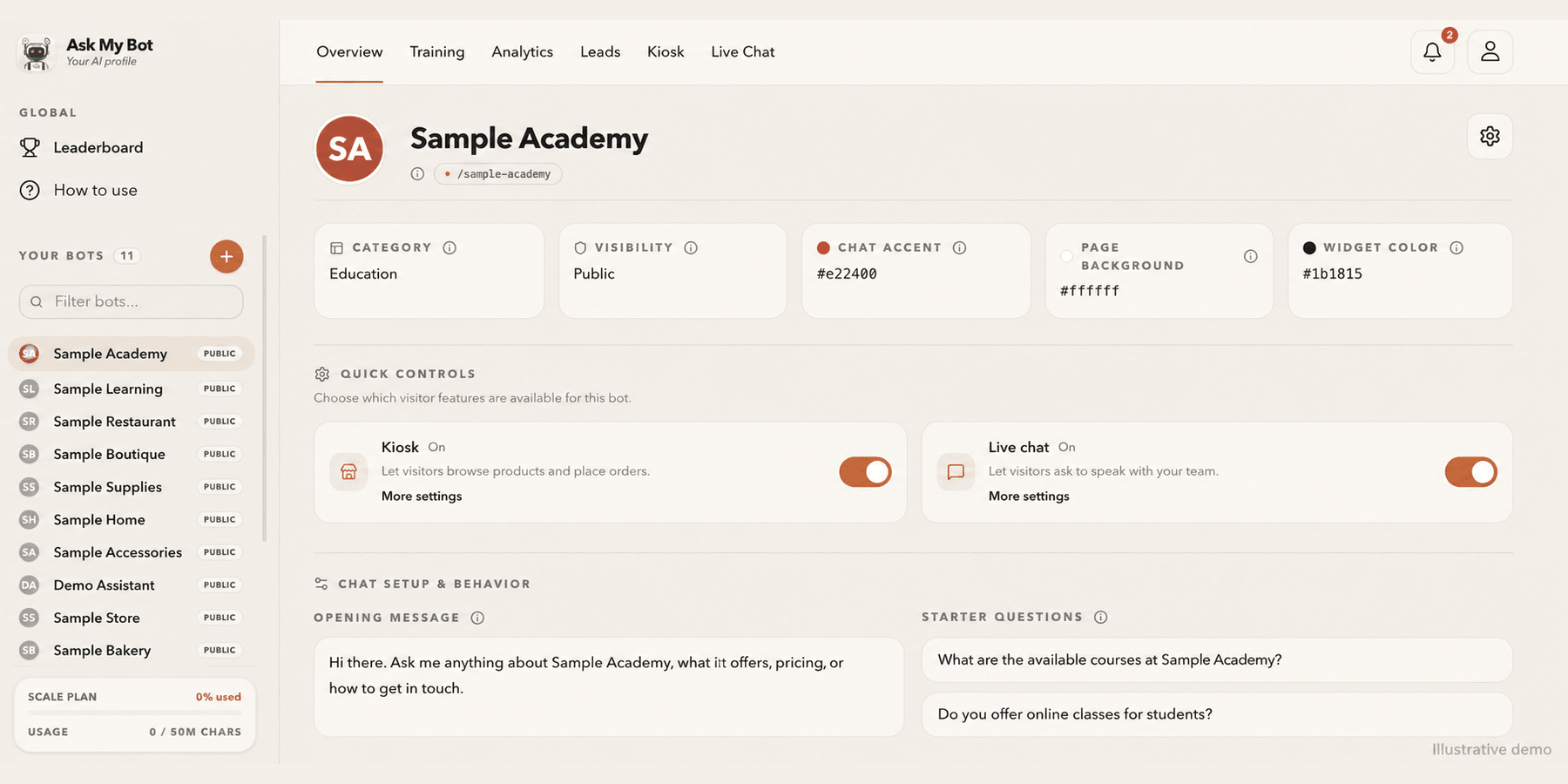
Customize your bot from Overview
Overview shows your bot at a glance, including whether Kiosk and Live Chat are on for visitors. Edit the name, logo, cover photo, appearance, opening message and starter questions in the bot's Settings tab.
Explore this workflowExplore the chatbot platform
Build around the knowledge and workflow you need
Customer support chatbot
Answer routine support questions and hand off when needed.
Business chatbot
Support visitors, leads, and teams with business knowledge.
Knowledge base chatbot
Turn FAQs and approved knowledge into direct answers.
PDF chatbot
Turn documents into grounded, searchable answers.
Website chatbot
Import site content and answer visitors on-page.
Private chatbot
Restrict internal knowledge to approved users.
Live API chatbot
Combine indexed knowledge with fresh endpoint data.
Lead-generation chatbot
Answer first, then capture qualified follow-up details.