Knowledge base chatbot
Turn your knowledge base and FAQs into conversational answers
Build a knowledge base chatbot from the information your business already trusts: website pages, FAQs, PDFs, documents, images, spreadsheets, and notes. Ask My Bot retrieves relevant passages for each question so visitors or approved users can find answers without searching through every source.
What a knowledge chatbot changes
One conversational entry point
Let people ask in their own words across FAQs, policies, guides, manuals, website pages, and supporting documents.
Answers with boundaries
Use retrieved source content for the response and preserve an unanswered state when the available knowledge is insufficient.
Visible knowledge gaps
Review top questions, unanswered questions and feedback, and answer gaps directly from Analytics so the bot learns them.
How to create a knowledge base chatbot
Step 1
Define the audience
Decide whether the chatbot serves website visitors, customers, collaborators, or approved internal users.
Step 2
Add trusted sources
Import useful pages and upload or paste the documents, FAQs, policies, and notes that contain complete answers.
Step 3
Test retrieval
Ask the same question several ways, test unsupported topics, and fix missing or contradictory source information.
Step 4
Publish and maintain
Choose public, embedded, or private access, then refresh sources and review real questions as knowledge changes.
A strong fit for
- Customer FAQs spread across help pages, policies, and documents.
- Product, service, onboarding, or operational knowledge with clear answers.
- Public information that should be available through a website widget.
- Restricted knowledge that belongs in a private bot for approved users.
Improve the source knowledge when
- Different documents give conflicting answers to the same question.
- Important policies or next steps are implied instead of written clearly.
- The source includes private content that should not be public.
- Critical facts change frequently and need a Live API source on a supported plan.
Frequently asked questions
What is a knowledge base chatbot?
A knowledge base chatbot is a conversational interface for information your organization has already documented. It retrieves relevant source passages and uses them to answer questions without making users browse folders, pages, or long FAQ lists.
Can I turn FAQs into a chatbot?
Yes. You can paste FAQ content, import the page where it is published, or upload a supporting document. Clear questions, direct answers, current policies, and explicit next steps make the knowledge more useful.
What sources can a knowledge bot use?
Ask My Bot supports PDFs, common documents, spreadsheets, CSV files, images with OCR, pasted text, and website imports. Business and Scale can also add Live API sources for fresh answer-time context.
Can a knowledge base chatbot be private?
Yes. Keep the bot private for approved signed-in users when the knowledge is restricted, or publish a public page and website widget when the content is appropriate for visitors.
See how it works in the app
Illustrative app views with fictional businesses, contacts and sample data. Select an image to view it full size.
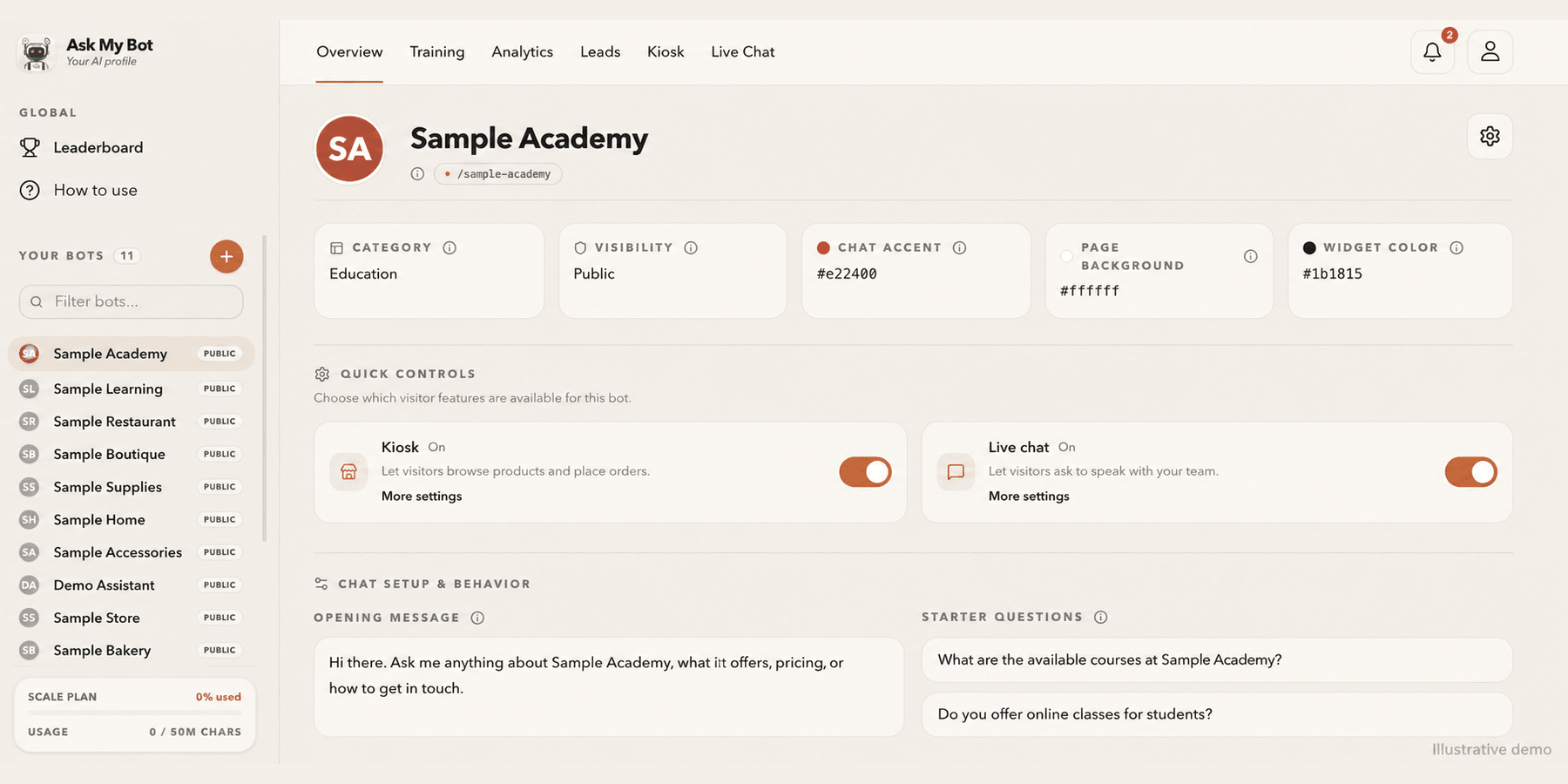
Customize your bot from Overview
Overview shows your bot at a glance, including whether Kiosk and Live Chat are on for visitors. Edit the name, logo, cover photo, appearance, opening message and starter questions in the bot's Settings tab.
Explore this workflow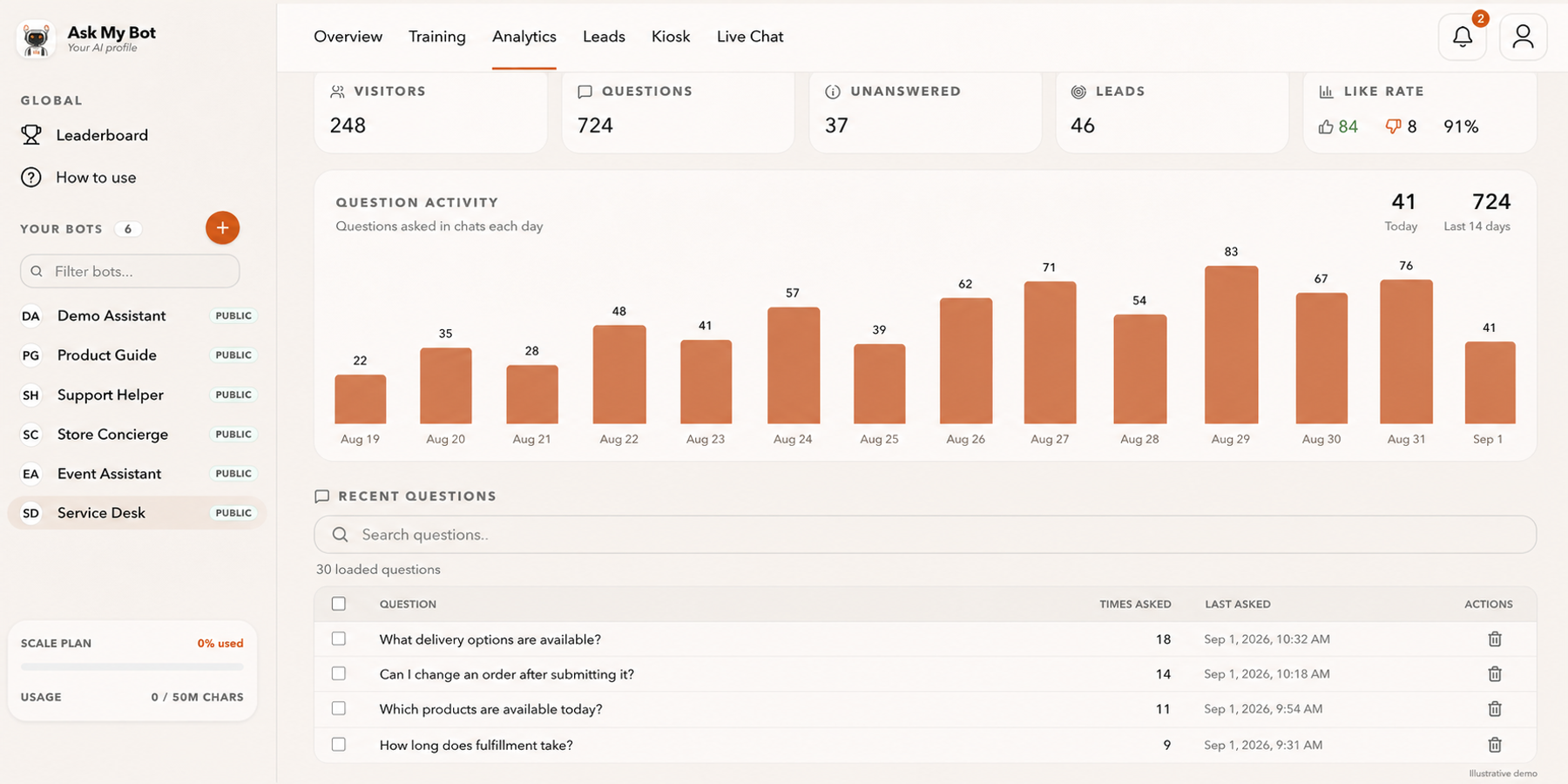
See how the business is doing
Analytics compares sales, orders, visits and conversion with the period before, on every active plan. The pictured numbers are fictional demonstration data.
Explore this workflowExplore the chatbot platform
Build around the knowledge and workflow you need
Customer support chatbot
Answer routine support questions and hand off when needed.
Business chatbot
Support visitors, leads, and teams with business knowledge.
Knowledge base chatbot
Turn FAQs and approved knowledge into direct answers.
PDF chatbot
Turn documents into grounded, searchable answers.
Website chatbot
Import site content and answer visitors on-page.
Private chatbot
Restrict internal knowledge to approved users.
Live API chatbot
Combine indexed knowledge with fresh endpoint data.
Lead-generation chatbot
Answer first, then capture qualified follow-up details.