Location QR codes
QR code ordering for tables, rooms and seats
Ask My Bot gives every restaurant table, hotel room, seat, booth or other place its own ordering QR code. Guests scan it and order from their own phone, with no app to download. Every order shows where it came from, tables reset by themselves when guests leave, hotel rooms are checked in and out by staff, and one Orders grid shows every place with a combined table bill. Location QR codes are available on Pro (25 per bot), Business (100) and Scale (200).
What changes for your staff
No more wrong-table orders
The location comes from the code the guest scanned, so it is on every order, the kitchen ticket, the CSV export and the order webhook. Guests can't change it.
See the whole floor at once
The Orders grid colours each place by state, refreshes every 30 seconds and lets staff confirm, mark served, print a ticket or take a new order without leaving the table window.
Bill in one step
Guests often order in rounds. Each order still prints its own kitchen ticket, but the table bill adds them together so the table pays once.
Spam limits built in
At most 3 orders can wait for confirmation per place, phones are rate-limited, and staff can cancel all waiting orders for a place in one click.
Hotel room service
Rooms open only after check-in, can require a 4-digit guest code per stay, and stop ordering on every guest phone at check-out.
Menu-only mode
Accept orders only from location QR codes, so people opening your plain link can browse the menu but not order from home.
Set up QR code ordering in four steps
Step 1
Add your tables or rooms
In Kiosk → Location QR codes, click Add location and add one place or several numbered ones, such as Table 1–20 or Rooms 101-110, 201-205. Types include Room, Table, Seat, Booth, Cabana, Desk or your own.
Step 2
Print each QR code
Download one code or click Print QR codes for the whole list. Each card shows your business name, the code and the place's name, in the same style as your storefront sign.
Step 3
Guests scan and order
The guest's phone opens your Kiosk with the place shown at the top right. They order without choosing delivery or typing a table number, and the place can't be changed.
Step 4
Serve and bill once
Kiosk → Orders → Grid shows every place as Free, Seated, New order, In progress or Ready to close. Open a table to confirm orders, print tickets and print one combined table bill.
A good fit for
- Restaurants, cafés and food courts that take dine-in orders at the table.
- Hotels, resorts and homestays offering in-room dining or service requests.
- Beach clubs, cabanas, co-working desks, salons and other places with numbered spots.
- Venues that want guests to order in rounds and pay one bill.
Good to know
- Location QR codes need the Kiosk turned on and at least one active product.
- Payment processing is not included: guests pay you directly, through your own payment link or UPI QR code, at the table or at the counter.
- On a plan downgrade nothing is deleted; places beyond the new limit show Locked until you upgrade or delete some.
- Staff confirm every order before it is prepared.
Frequently asked questions
How does QR code ordering work in Ask My Bot?
Each table, room or seat gets its own QR code. A guest scans it, browses your menu or catalog and places an order from their phone. The order arrives in Kiosk → Orders tagged with that place, such as Table 10 or Room 204, and nothing is prepared until staff confirm it.
Which plans include location QR codes?
Pro includes up to 25 location QR codes per bot, Business up to 100 and Scale up to 200, based on the bot owner's plan. On Free, the Kiosk link and its single QR code still take orders, but per-table codes are not available.
Do tables need to be closed by staff?
No. A table resets by itself after 1 hour without an order (you can choose 30 minutes, 2 hours or a custom time from 15 minutes to 12 hours), 15 minutes after all its orders are fulfilled or cancelled, or after 6 hours. The next guests start a fresh bill. Staff can still close a table straight away.
How do hotel rooms work?
Rooms wait for staff to check guests in. Turn on the room's Status switch at check-in and off at check-out; checking out stops ordering on every guest phone at once. A room stay lasts up to 30 days if nobody checks it out.
Can someone order from home with a photo of the QR code?
It is limited. Each place can have at most 3 orders waiting for confirmation, each phone can place at most 3 room or table orders in 10 minutes, and staff confirm every order before it is prepared. For rooms or tables that need more, choose Checked-in guests with a code: guests enter a 4-digit code that changes every stay.
Can I take orders only from table or room QR codes?
Yes. Turn on Only take orders from location QR codes in Settings → Location QR codes. The plain Kiosk link then becomes a menu to browse, with products showing View instead of Add.
Can guests at one table pay one bill?
Yes. The Table bill combines every order from the visit, from every round and every phone, with taxes such as CGST and SGST summed. Print it, show a payment QR for the amount due, then click Mark table paid. Guests can also save the combined bill once the visit is settled.
Can guests call staff or ask for the bill from the table?
Yes. Guests at a table or room tap Call staff, with an optional note such as two more chairs, or Ask for the bill on their running bill once they've ordered. Staff get a popup on any page of the dashboard and see the request on that place in the Orders grid, then tap Done. Each request can be sent again after 2 minutes.
What happens if I replace a lost QR code?
Click New QR code on that row and print the new code. The old printed code stops working at once, while guests already ordering keep ordering. Codes keep working if you change the bot's public URL.
See how it works in the app
Illustrative app views with fictional businesses, contacts and sample data. Select an image to view it full size.
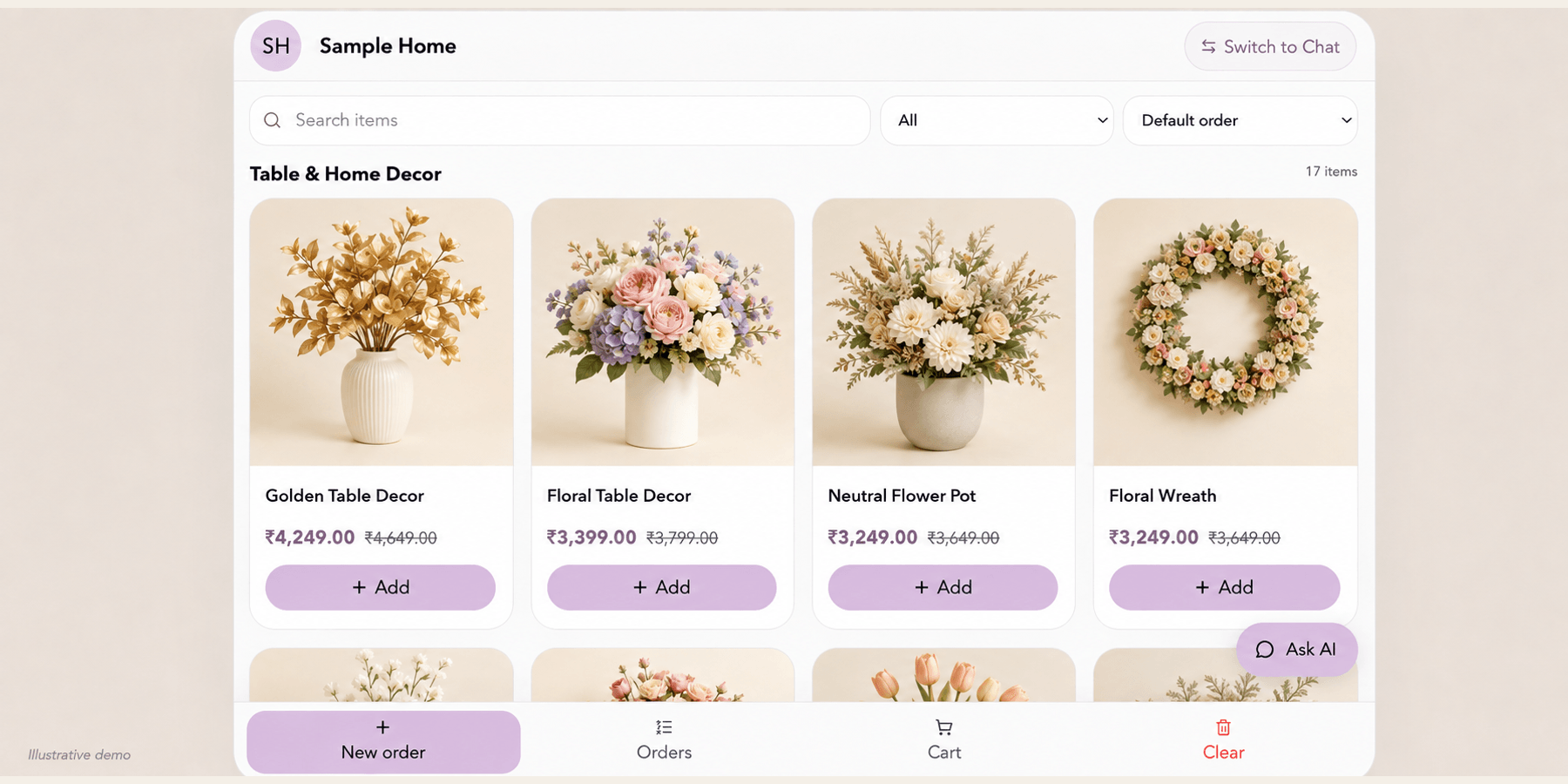
Let customers browse your Kiosk
Customers search and browse available products, review prices and add items to a cart. Free Kiosk displays up to 4 products per bot; Pro displays up to 500, Business 1,000, and Scale 2,000. Kiosk records orders for manual fulfillment; payment processing is not included.
Explore this workflowExplore the chatbot platform
Build around the knowledge and workflow you need
Customer support chatbot
Answer routine support questions and hand off when needed.
Business chatbot
Support visitors, leads, and teams with business knowledge.
Knowledge base chatbot
Turn FAQs and approved knowledge into direct answers.
PDF chatbot
Turn documents into grounded, searchable answers.
Website chatbot
Import site content and answer visitors on-page.
Private chatbot
Restrict internal knowledge to approved users.
Live API chatbot
Combine indexed knowledge with fresh endpoint data.
Lead-generation chatbot
Answer first, then capture qualified follow-up details.